
If you’re serious about crypto security, you’ve narrowed it down to two names: Ledger vs Trezor.
They’re the Coke and Pepsi of hardware wallets – the undisputed market leaders that have secured billions in cryptocurrency for millions of users. But here’s the thing: they’re built on fundamentally different philosophies, and choosing between them means choosing how you define security itself.
I’ve owned and used both ecosystems for years. I have a Ledger Nano X on my keychain and a Trezor Safe 5 on my desk. I’ve tested their apps, compared their coin support, and experienced their security features firsthand. And I’ve learned that this debate isn’t about which is “better”. It’s about which philosophy aligns with your values.
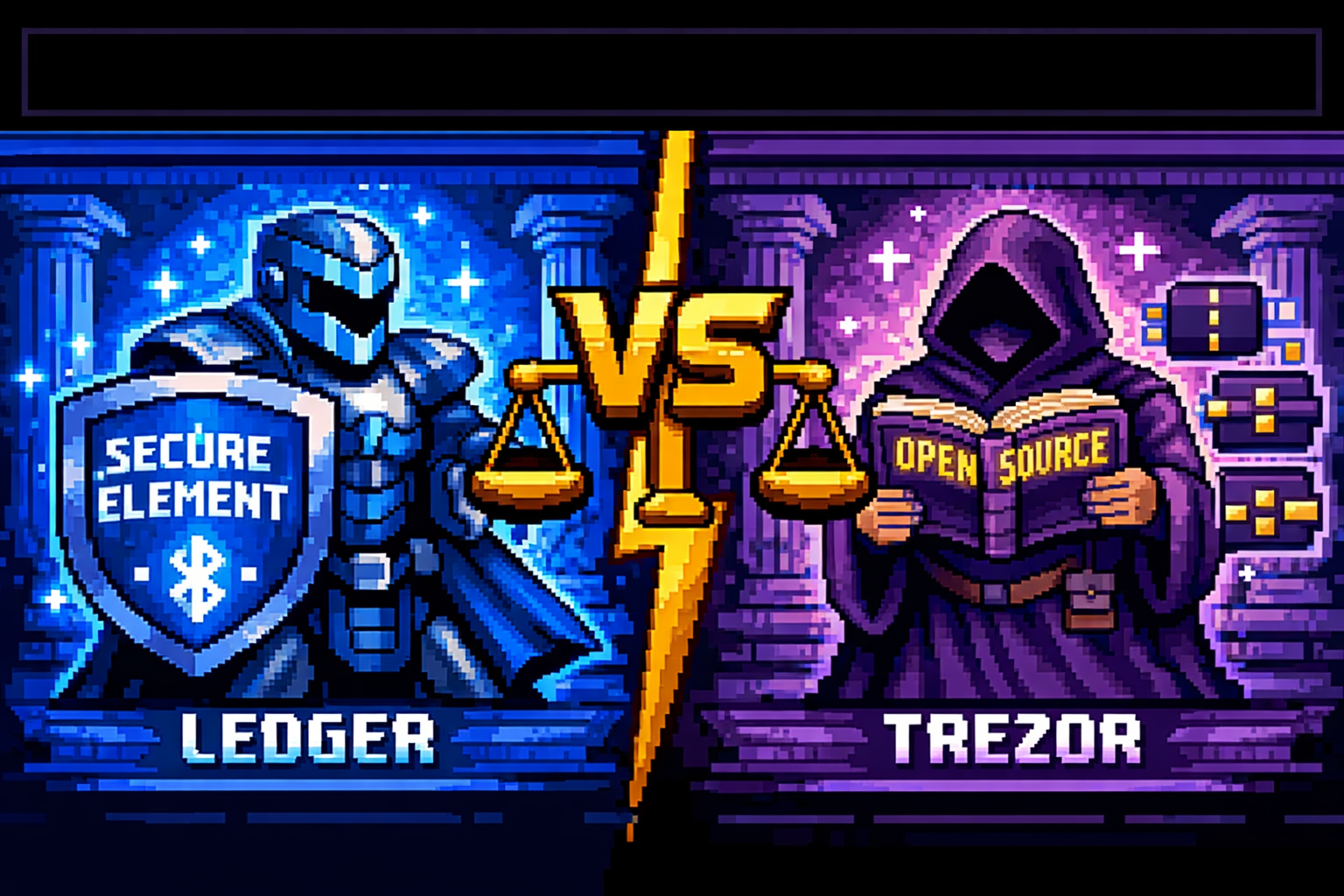
Ledger puts its faith in hardware: certified secure element chips, a polished user experience, and an ecosystem that supports over 5,500 assets. Ledger believes security comes from certified, tamper-resistant components that physical attackers cannot breach.
Trezor puts its faith in transparency: fully open-source code, community verification, and features like Shamir Backup that give you cryptographic control over your own recovery. Trezor believes security comes from code that anyone can audit and verify.
In this comprehensive comparison, we’ll examine everything: security approaches (secure element vs open source), coin support (Ledger’s 5,500+ vs Trezor’s ~9,000), mobile compatibility, real-world usability, and, most importantly, which wallet’s philosophy aligns with your needs and values.
Quick Verdict: Which Wallet Should You Choose?
TL;DR for Skimmers
| If you are… | Choose… | Why |
|---|---|---|
| A mobile-first user needing Bluetooth | Ledger Nano X | Full iOS/Android support via Bluetooth |
| An open-source purist | Trezor Safe 5 | Fully auditable code, community trust |
| Holding 10+ different cryptocurrencies | Ledger | 5,500+ assets, 100+ app storage |
| Wanting maximum coin selection (including obscure) | Trezor | ~9,000 assets supported |
| Physically secure element advocate | Ledger | EAL5+/6+ certified secure chips |
| Needing Shamir Backup (multi-share recovery) | Trezor | Split seed into multiple shares |
| Budget-conscious | Ledger Nano S Plus ($49) or Trezor Safe 3 ($79) | Both excellent entry points |
| NFT collector | Ledger | Native NFT support in Ledger Live |
| Bitcoin-only maximalist | Trezor | Bitcoin-only firmware option |
The 30-Second Answer
Ledger wins on mobile convenience, polished software, and hardware-grade security. If you want Bluetooth connectivity, a beautiful app, and certified physical protection, Ledger is your choice.
Trezor wins on open-source transparency, Shamir Backup, and philosophical alignment with crypto’s open ethos. If you want code you can audit and recovery options no other wallet offers, choose Trezor.
Neither is “better” – they’re optimized for different priorities. Match the wallet to your values.
Ledger vs Trezor: At a Glance Comparison
| Feature | Ledger | Trezor |
|---|---|---|
| Security Philosophy | Secure Element chip (EAL5+/6+) + closed firmware | Open-source firmware + community verification |
| Supported Assets | 5,500+ coins and tokens | ~9,000+ coins and tokens |
| Mobile Support | Full iOS/Android via Bluetooth (Nano X, Stax, Flex) | Limited iOS (view-only), Android via USB |
| Bluetooth | Yes (select models) | No (Safe 7 has Bluetooth) |
| Secure Element | Yes (CC EAL5+/6+ certified) | Safe series has EAL6+, Model T does not |
| Open Source | Partially (Ledger Live open, firmware closed) | Fully open source (firmware + software) |
| Shamir Backup | No | Yes (Model T, Safe 3, Safe 5, Safe 7) |
| App Storage | 100+ apps simultaneously (Nano X) | Limited (install/uninstall as needed) |
| Price Range | $49 (Nano S Plus) to $399 (Stax) | $49 (Trezor One) to $249 (Safe 7) |
| Past Controversies | 2020 data breach, 2023 Recover backlash | 2019 physical vulnerability (fixed) |
| Best For | Mobile users, DeFi/NFT enthusiasts, multi-asset holders | Open-source advocates, privacy purists, Bitcoin holders |
The Philosophical Divide: Open Source vs Secure Element
This is the core of the comparison. Understanding this philosophical difference is more important than any spec sheet.
Trezor’s Open-Source Philosophy
Trezor has always believed that security through transparency is the only true security. Every line of code, from the firmware running on the device to the Trezor Suite software, is publicly available for anyone to audit.
The open-source argument:
- Code can be verified by anyone, anywhere
- Community detection of vulnerabilities happens faster
- No single company controls your security
- True to crypto’s decentralized ethos
The trade-off: Without a dedicated secure element chip, Trezor devices may be more vulnerable to sophisticated physical attacks if an attacker gains possession of the device. In 2019, researchers demonstrated this by extracting keys from a Trezor with specialized equipment- though this requires physical access and expertise.
Ledger’s Secure Element Philosophy
Ledger takes a different approach, using certified secure element chips (EAL5+/EAL6+), the same technology protecting passports, credit cards, and government IDs. These chips are designed to resist physical tampering and prevent private key extraction even if an attacker has the device in hand.
The secure element argument:
- Hardware-grade protection against physical attacks
- Military-grade certification (EAL5+/6+)
- Keys never leave the isolated secure environment
- Used by institutions and governments
The trade-off: The firmware running on Ledger devices is not fully open source. You must trust Ledger’s security claims – though the secure element itself is certified by independent auditors, and Ledger Live is open source.
Which Philosophy Wins?
There’s no right answer. It’s a philosophical choice.
If you believe “trust but verify” means you must audit the code yourself, choose Trezor. If you believe hardware-grade physical protection is worth trusting a company’s certified security, choose Ledger.
Both approaches have protected billions in assets. Neither has lost customer funds to hackers. The choice is about what you value more: transparency or physical resilience.
Head-to-Head: Detailed Comparison
Security: Different Approaches, Both Strong
Ledger Security
| Feature | Details |
|---|---|
| Secure Element | CC EAL5+ (Nano X/S Plus) or EAL6+ (Stax/Flex) certified chips |
| Physical Attack Resistance | High – secure element designed to resist extraction |
| Firmware | Closed source, but runs on secure element |
| Past Incidents | 2020 data breach (customer emails, no funds) |
| Recovery | 24-word seed phrase, optional BIP39 passphrase |
Trezor Security
| Feature | Details |
|---|---|
| Secure Element | Safe series: EAL6+ (with NDA-free audit) |
| Physical Attack Resistance | Model T vulnerable to sophisticated physical attacks (2019 demonstrated) |
| Firmware | Fully open source, community audited |
| Past Incidents | 2019 physical extraction demo (requires expertise, physical access) |
| Recovery | 12-24 word seed, Shamir Backup (multi-share), BIP39 passphrase |
The Physical Attack Reality
In 2019, researchers demonstrated they could extract private keys from a Trezor by physically disassembling it and accessing the memory chip directly. This was a sophisticated attack requiring specialized equipment and physical possession – not something casual thieves can do.
Ledger’s secure element is designed specifically to resist such attacks. The Trezor Safe series now includes secure elements, addressing this vulnerability for newer models.
What This Means for You
| Threat Level | Ledger Protection | Trezor Protection |
|---|---|---|
| Remote hack | Both equally safev -keys never leave device | Both equally safe |
| Casual theft (PIN unknown) | PIN protects, auto-wipe after attempts | Same |
| Targeted theft with lab equipment | Secure element adds significant protection | Model T vulnerable; Safe series improved |
The Verdict
Ledger offers stronger protection against sophisticated physical attacks. Trezor offers stronger transparency and community verification. For 99% of users with reasonable PIN discipline, both are more than sufficient.
Coin Support: Ledger’s 5,500+ vs Trezor’s ~9,000
The Numbers
| Wallet | Supported Assets | Notes |
|---|---|---|
| Ledger | 5,500+ coins and tokens | All major assets, ERC-20/BEP-20, NFTs |
| Trezor | ~9,000+ coins and tokens | Model T supports ~1,456; Safe series more |
What’s Covered
| Category | Ledger | Trezor |
|---|---|---|
| Bitcoin/Ethereum | ✓ | ✓ |
| Solana | ✓ | ✓ |
| XRP | ✓ | ✓ |
| Cardano | ✓ | ✓ |
| Polkadot | ✓ | ✓ |
| Monero | Limited | ✓ (third-party) |
| ERC-20 Tokens | ✓ (any) | ✓ (any) |
| NFTs | ✓ (native in Ledger Live) | ✓ (third-party) |
Important Distinction
Trezor’s higher coin count includes many assets that require third-party wallet integration (like Monero). Ledger’s 5,500+ are primarily accessible directly through Ledger Live or major third-party wallets.
The Verdict
Both support every major cryptocurrency you’re likely to own. Ledger’s native NFT support gives it an edge for collectors. Trezor’s broader count matters only if you hold extremely obscure assets.
User Experience: Polished vs Transparent
Ledger Live Experience
Ledger Live is widely considered the most polished wallet management app in the industry. From the clean dashboard to integrated staking, NFT gallery, and in-app purchases, everything feels modern and intuitive.
| Feature | Ledger Live |
|---|---|
| Dashboard | Clean portfolio view across all assets |
| Staking | Native support for ETH, SOL, DOT, etc. |
| NFTs | Built-in gallery and management |
| Buy/Sell | Integrated with partners |
| Mobile App | Full functionality on iOS/Android (Bluetooth models) |
Trezor Suite Experience
Trezor Suite is functional, transparent, and privacy-focused, but less polished than Ledger Live. It excels at features like coin control and Tor integration for privacy-conscious users.
| Feature | Trezor Suite |
|---|---|
| Dashboard | Clean, straightforward |
| Coin Control | Advanced UTXO management |
| Tor Integration | Built-in privacy routing |
| Staking | Available for major assets |
| Mobile App | Android full; iOS view-only |
The Verdict
Ledger wins on polish and mobile experience. Trezor wins on privacy features and advanced Bitcoin management. Choose based on whether you prioritize sleek design or granular control.
Mobile Connectivity: Ledger Wins (Bluetooth)
Ledger Mobile Support
| Model | Mobile Connectivity |
|---|---|
| Nano X | Bluetooth + full iOS/Android app |
| Stax | Bluetooth + full iOS/Android app |
| Flex | Bluetooth + full iOS/Android app |
| Nano S Plus | USB only (requires adapter for mobile) |
Trezor Mobile Support
| Model | Mobile Connectivity |
|---|---|
| Safe 5 | USB only (Android full, iOS view-only) |
| Safe 3 | USB only (Android full, iOS view-only) |
| Model T | USB only (Android full, iOS view-only) |
| All Trezor | No Bluetooth on most models (Safe 7 adds Bluetooth) |
The Bluetooth Difference
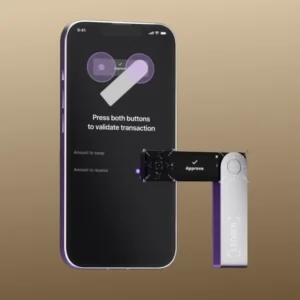
Ledger’s Bluetooth-enabled models (Nano X, Stax, Flex) let you sign transactions wirelessly from your phone, checking balances, sending crypto, and staking without ever plugging in.
Trezor requires a USB connection, which means carrying a cable and adapter for iOS users. The new Safe 7 finally adds Bluetooth, but it’s their only wireless model.
The Security Trade-off
Some users distrust Bluetooth, but Ledger’s implementation keeps private keys isolated on the secure element – Bluetooth only transmits already-signed transactions. If you’re uncomfortable, USB-only models are available.
The Verdict
If you manage crypto primarily on mobile, Ledger is the clear winner. If you’re desktop-only, the difference matters less.
Backup and Recovery: Shamir vs Standard Seed
Trezor’s Shamir Backup (Unique Advantage)
Shamir Backup (SLIP39) lets you split your recovery seed into multiple shares. You define how many shares are needed to recover. For example, 2-of-3 means any two shares restore your wallet; one share alone is useless.
| Configuration | Use Case |
|---|---|
| 2-of-3 | Store shares in three locations, need any two |
| 3-of-5 | Distribute to five trusted people, need three |
| 1-of-1 | Same as standard seed (pointless) |
Why This Matters
- Theft of one backup doesn’t compromise funds
- Fire destroying one location doesn’t lose everything
- You can distribute shares geographically
- Heirs can access with threshold, not single point of failure
Ledger’s Standard Backup
Ledger uses standard BIP39 24-word seed backup – the industry standard. It’s simple, proven, and works everywhere. But it’s a single point of failure: lose that one piece of paper, lose your funds.
The Verdict
Trezor’s Shamir Backup is genuinely superior for users with large holdings or serious security concerns. For most users, proper physical backups of a standard seed are sufficient, but Shamir is undeniably more resilient.
Price and Models: Options for Every Budget
Ledger Lineup (2026)
| Model | Price | Key Features |
|---|---|---|
| Nano S Plus | $49 | Entry-level, USB-only, 5,500+ coins |
| Nano X | $99 | Bluetooth, battery, 100+ apps |
| Flex | $249 | E-ink touchscreen, Bluetooth |
| Stax | $399 | Curved e-ink, wireless charging, premium |
Trezor Lineup (2026)
| Model | Price | Key Features |
|---|---|---|
| Trezor One | $49 | Entry-level, no secure element, 1,000+ coins |
| Safe 3 | $79 | Secure element, Shamir, color screen |
| Safe 5 | $169 | Touchscreen, haptic feedback, Shamir |
| Safe 7 | $249 | Premium, Bluetooth, secure element |
Value Comparison
| Budget | Best Ledger Option | Best Trezor Option |
|---|---|---|
| Under $50 | Nano S Plus ($49) | Trezor One ($49) |
| $50-100 | Nano X ($99) | Safe 3 ($79) |
| $100-200 | — | Safe 5 ($169) |
| $200-250 | Flex ($249) | Safe 7 ($249) |
| $400 | Stax ($399) | — |
Ledger Models Explained
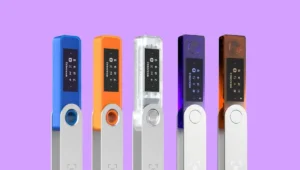
Ledger Nano S Plus ($49)
The entry-level powerhouse with the same secure element as premium models. Supports 5,500+ coins but limited to 3-5 simultaneous apps. USB-only, no Bluetooth. Perfect for beginners or single-coin holders.
Best for: Budget-conscious users, Bitcoin-only holders, those who don’t need mobile connectivity.
Ledger Nano X ($99)
The sweet spot for most users. Adds Bluetooth, 100+ app storage, and battery for mobile convenience. Full iOS/Android support via Ledger Live. The best-selling Ledger for good reason.
Best for: Mobile-first users, multi-asset holders, anyone wanting Bluetooth convenience.
Ledger Flex ($249)
New e-ink touchscreen model with modern design. Bluetooth-enabled, wireless charging, and the same secure element. A premium upgrade for those wanting cutting-edge hardware.
Best for: Tech enthusiasts, those wanting the latest design, users who appreciate e-ink displays.
Ledger Stax ($399)
The ultimate Ledger. Curved e-ink display, wireless charging, magnetic design, and all the security of Ledger’s ecosystem. For collectors and those who want the absolute best – price no object.
Best for: Collectors, high-net-worth individuals, those who want the premium experience.
Trezor Models Explained
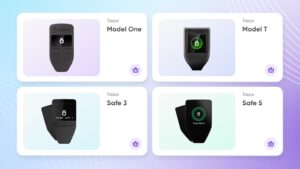
Trezor One ($49)
The original hardware wallet, still available. Open source, supports ~1,000 coins, no secure element. Simple, proven, and affordable but shows its age compared to newer models.
Best for: Budget open-source purists, Bitcoin-only users, those who don’t need secure element.
Trezor Safe 3 ($79)
Entry-level with modern security. Adds EAL6+ secure element, Shamir Backup, and color screen. The best budget option for open-source purists wanting both transparency AND hardware protection.
Best for: Budget-conscious users who want secure element and Shamir, entry-level with modern features.
Trezor Safe 5 ($169)
The current sweet spot. Color touchscreen, haptic feedback, Shamir Backup, and secure element. No Bluetooth, but excellent desktop experience. Trezor’s most popular model for serious users.
Best for: Desktop users, Shamir Backup enthusiasts, those wanting premium Trezor without Bluetooth.
Trezor Safe 7 ($249)
Premium flagship with all the features: touchscreen, secure element, AND Bluetooth (finally!). The first Trezor with wireless connectivity – a direct competitor to Ledger Stax.
Best for: Users who want Trezor’s open-source philosophy with Bluetooth convenience, premium seekers.
Ledger vs Trezor by User Type
Decision Matrix
If you’re a mobile-first user:
Choose Ledger Nano X, Flex, or Stax. Bluetooth + full iOS/Android support is unmatched. Trezor’s lack of Bluetooth (except Safe 7) and limited iOS support makes mobile management cumbersome.
If you’re an open-source purist:
Choose Trezor. Fully auditable code, community verification, and no trust required. Ledger’s closed firmware will always bother you.
If you hold 10+ different cryptocurrencies:
Choose Ledger Nano X. 100+ app storage means you can keep Bitcoin, Ethereum, Solana, and dozens more installed simultaneously. Trezor requires constant install/uninstall.
If you want maximum coin selection:
Choose Trezor for raw count (~9,000) or Ledger for native support (5,500+ but more polished). Both cover everything you’ll actually own.
If you’re worried about physical theft:
Choose Ledger. The secure element chip provides genuine protection against sophisticated physical extraction attacks. Trezor’s Model T has demonstrated vulnerability (though requires expertise).
If you want Shamir Backup (multi-share recovery):
Choose Trezor. This feature is unique to Trezor among major wallets – Ledger doesn’t offer it. If you want to split your seed across multiple locations, Trezor is your only choice.
If you’re a Bitcoin maximalist:
Both work, but Trezor offers Bitcoin-only firmware and advanced features like coin control. Coldcard is the Bitcoin specialist, but Trezor is excellent for Bitcoin-focused users.
If you’re an NFT collector:
Choose Ledger. Native NFT support in Ledger Live makes viewing and managing collections seamless. Trezor requires third-party wallets for NFTs.
If you’re on a tight budget:
Both offer excellent entry points: Ledger Nano S Plus ($49) or Trezor Safe 3 ($79). The Ledger is cheaper with more coin support; the Trezor adds secure element and Shamir for $30 more.
If you want the absolute latest technology:
Consider Ledger Stax (curved e-ink, wireless charging) or Trezor Safe 7 (Bluetooth, secure element). Both are premium flagships with cutting-edge features.
Quick Decision Table
| Priority | Winner | Why |
|---|---|---|
| Mobile convenience | Ledger | Bluetooth + full iOS/Android |
| Open-source transparency | Trezor | Fully auditable code |
| Physical attack resistance | Ledger | Secure element chip |
| Shamir Backup | Trezor | Unique multi-share recovery |
| NFT support | Ledger | Native in Ledger Live |
| Coin count | Trezor | ~9,000 vs 5,500+ |
| App storage | Ledger | 100+ simultaneous apps |
| Privacy features | Trezor | Tor integration, coin control |
| Entry-level price | Ledger | Nano S Plus at $49 |
The Elephant in the Room: Ledger Recover and Trezor’s 2019 Vulnerability
Transparency builds trust – let’s address both controversies head-on.
Ledger Recover (2023)
What happened: Ledger announced an optional ID-based seed backup service called “Ledger Recover.” The backlash was immediate and intense, with users fearing a “backdoor” to their funds.
The reality: Recover is opt-in, not enabled by default, and technically cannot extract keys without physical device approval. The service encrypts and splits your seed phrase across multiple custodians – similar to how Shamir Backup works, but with ID verification.
Why users were angry: The announcement was poorly communicated, and it contradicted the “your keys, your coins” ethos. Many feared Ledger had created a technical backdoor (they hadn’t).
2026 status: The controversy has faded, but transparency-focused users may still prefer Trezor. Ledger has since improved communication and open-sourced more code.
Trezor 2019 Physical Vulnerability
What happened: Researchers demonstrated they could extract private keys from a Trezor by physically disassembling it and accessing the memory chip directly using voltage glitching and other techniques.
The reality: This requires sophisticated equipment, expertise, and physical possession of the device – not a practical threat for most users. The attack was demonstrated in a lab, not in the wild.
Trezor’s response: The newer Safe series includes secure elements to address this vulnerability. Model T remains vulnerable to this attack (if someone steals your device and has lab equipment).
2026 status: Safe 3/5/7 include secure elements and are not vulnerable in the same way. Model T users should understand this risk, though it remains theoretical for nearly everyone.
Our Take
Every hardware wallet has trade-offs. Ledger’s Recover controversy was about trust, not technical backdoors. Trezor’s physical vulnerability requires lab-level attacks.
For 99% of users, neither is a practical concern. But if you’re in the 1% who face targeted physical attacks, choose Ledger for physical protection. If you’re in the 1% who distrust any closed-source code, choose Trezor for transparency.
Our Final Recommendation
Summary Assessment
The Ledger vs Trezor debate isn’t about which is “better”. It’s about which philosophy aligns with your values.
Ledger puts its faith in certified hardware and a polished user experience. It’s the choice for users who want Bluetooth convenience, beautiful software, and hardware-grade physical protection. If you’re a mobile-first user, an NFT collector, or someone who holds many different cryptocurrencies, Ledger’s ecosystem will serve you well.
Trezor puts its faith in transparency and community verification. It’s the choice for open-source purists, privacy advocates, and those who want cryptographic control over their recovery through Shamir Backup. If you want to audit your wallet’s code, split your seed across multiple locations, or use Tor for privacy, Trezor is your wallet.
The Decision Framework
| Your Profile | Recommendation |
|---|---|
| Mobile-first user, trades on phone | Ledger Nano X – Bluetooth + full iOS/Android |
| Open-source purist, trusts community verification | Trezor Safe 5 – Fully auditable code |
| Large portfolio, wants physical attack protection | Ledger – Secure element chip |
| Wants multi-share seed backup | Trezor – Shamir Backup exclusive |
| NFT collector | Ledger – Native NFT support |
| Bitcoin-focused, privacy conscious | Trezor – Coin control, Tor |
| Budget under $50 | Ledger Nano S Plus |
| Budget under $80 with secure element | Trezor Safe 3 |
| Wants latest Bluetooth with open source | Trezor Safe 7 |
The Bottom Line
You can’t go wrong with either choice. Both are industry leaders with proven track records. Both have protected billions in assets without losing customer funds.
Match your priorities to the right philosophy, and you’ll sleep soundly knowing your crypto is secure.
Ready to Secure Your Crypto?
👉 Buy Ledger Nano X – Best for mobile users
👉 Buy Trezor Safe 5 – Best for open-source advocates
👉 Read our Full Ledger Nano X Review
👉 Read our Full Trezor Safe 5 Review
👉 Best Hardware Wallets 2026 Guide
Disclosure: This article contains affiliate links. If you purchase a Ledger or Trezor device through these links, we may earn a commission at no extra cost to you. We only recommend products we personally use and trust. This comparison is based on independent testing and real-world experience with both ecosystems.
This comparison was last updated for the 2026 edition. Hardware wallet features and firmware change frequently. Check official websites for current information.
Frequently Asked Questions
Which has more coins, Ledger or Trezor?
Trezor supports approximately 9,000 assets, while Ledger supports 5,500+. However, both cover every major cryptocurrency you're likely to own. Ledger's native NFT support gives it an edge for collectors.
Can Trezor be hacked physically?
In 2019, researchers demonstrated a sophisticated physical attack on a Trezor requiring specialized equipment and device access. The newer Safe series includes secure elements to resist such attacks. Ledger's secure element is designed specifically to prevent physical extraction.
Is Ledger open source?
Partially. Ledger Live (the desktop/mobile app) is open source, but the firmware running on Ledger devices is closed source. Trezor's firmware and software are fully open source.
Does Trezor have a secure element?
The Trezor Safe 3, Safe 5, and Safe 7 include EAL6+ certified secure elements. The older Model T does not have a secure element. All Ledger models include secure elements (EAL5+ or EAL6+).
Which is better for beginners?
Ledger's polished Ledger Live app and simple setup make it slightly more beginner-friendly. Trezor's interface is also accessible, and both offer excellent documentation. If mobile convenience matters, Ledger wins.
Can I use Ledger with iPhone?
Yes. Ledger Nano X, Flex, and Stax connect via Bluetooth to the Ledger Live iOS app for full functionality. Trezor iOS support is view-only (no transaction signing).
Does Trezor work with MetaMask?
Yes. Both Ledger and Trezor integrate with MetaMask for Ethereum and EVM chains. Transactions require physical confirmation on device.
What is Shamir Backup?
Shamir Backup (Trezor-only) lets you split your recovery seed into multiple shares. You need a threshold number of shares to recover - protecting against single-point failure. Ledger uses standard BIP39 seed backup.
What happened with Ledger Recover?
In 2023, Ledger announced an optional ID-based seed backup service. The backlash stemmed from fears of a "backdoor," though the service remains opt-in and technically cannot extract keys without device approval.
Which has better mobile app?
Ledger's mobile app is full-featured on both iOS and Android via Bluetooth. Trezor's mobile support is limited to Android USB and iOS view-only. If mobile matters, Ledger wins decisively.
Can I stake crypto on both?
Yes. Both support staking for major Proof-of-Stake assets through their respective apps.
Which wallet is most secure overall?
Both are highly secure for practical purposes. Ledger offers stronger physical protection; Trezor offers stronger transparency. The "most secure" depends on whether you fear sophisticated physical theft (Ledger) or hidden backdoors (Trezor).
Are Trezor and Ledger wallets worth it?
If you hold more than $1,000 in crypto, absolutely. Hardware wallets are the only way to truly own your keys and protect against exchange hacks, bankruptcies, and online theft.
Which should I buy in 2026?
Choose Ledger if you want mobile Bluetooth convenience, polished software, and hardware-grade security. Choose Trezor if you value open-source transparency, Shamir Backup, and philosophical alignment with crypto's open ethos.
Does Trezor Safe 7 have Bluetooth?
Yes! The Trezor Safe 7 ($249) finally adds Bluetooth, making it Trezor's first wireless model, a direct competitor to Ledger's Bluetooth offerings.
Can I use both wallets?
Absolutely. Many users have both - perhaps a Ledger Nano X for mobile convenience and a Trezor Safe 5 for long-term holdings with Shamir Backup.
Which wallet is better for DeFi?
Both work well with MetaMask and other DeFi wallets. Ledger's native NFT support gives it a slight edge for NFT-heavy DeFi users.
What about the Ledger 2020 data breach?
In 2020, Ledger suffered a data breach exposing customer emails and contact information. No funds were compromised, but it was a serious privacy failure. Trezor has not had a similar data breach.
Which wallet has better customer support?
Both have similar support experiences - knowledge bases, ticket systems, and varying response times. Neither is exceptional, but both are adequate.
About the Author


1 thought on “Ledger vs Trezor: Which Hardware Wallet Wins? (2026 Comparison)”