

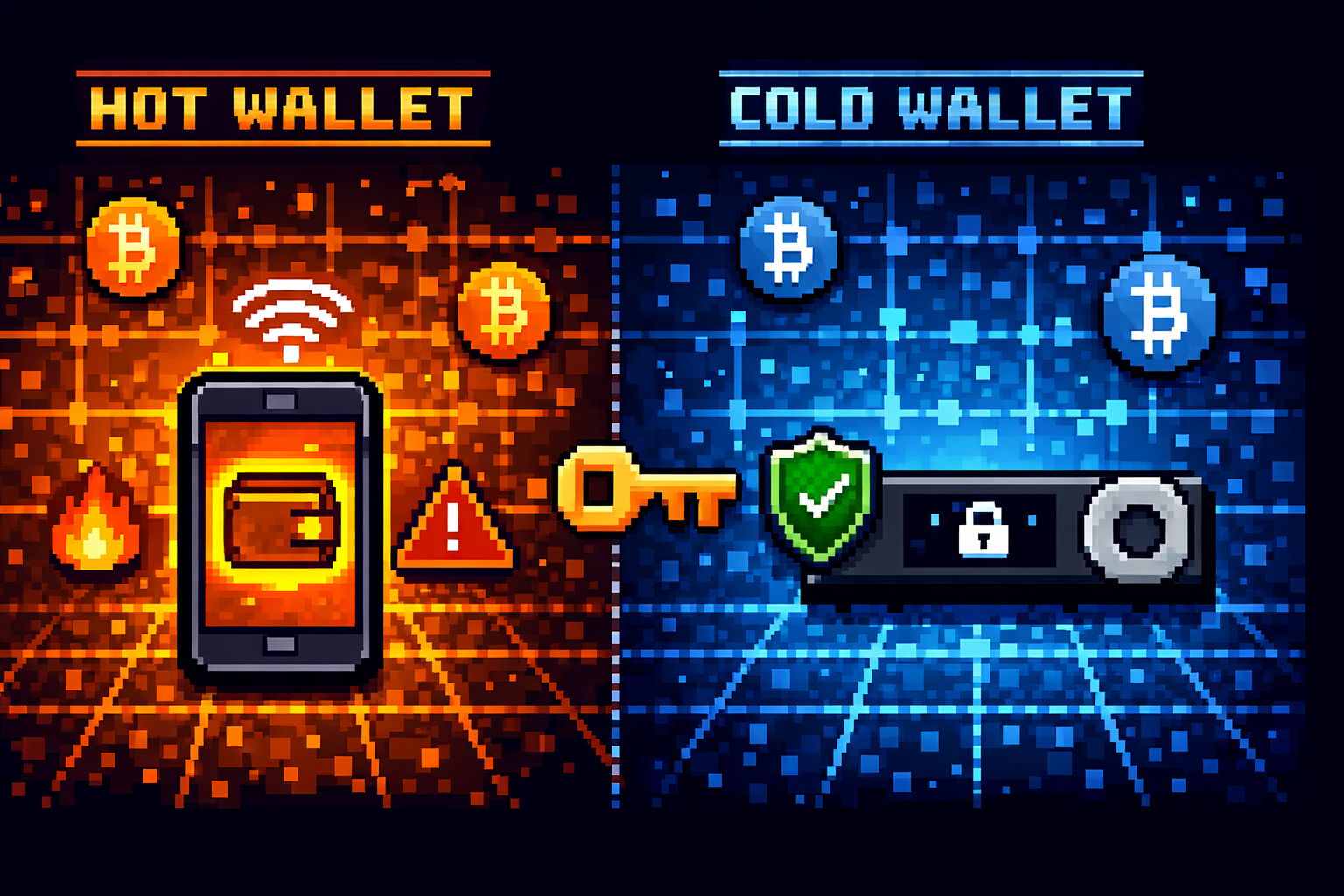
Many new crypto buyers think their coins live on the exchange where they bought them, like money in a bank account.
Here’s the truth that could save you thousands of dollars: When you buy crypto on Coinbase, Binance, or Kraken, you don’t actually hold the coins. The exchange holds them for you, and you have an IOU.
I learned this lesson the hard way. In 2018, I had about $2,000 worth of Bitcoin sitting on an exchange. The exchange temporarily froze withdrawals due to “maintenance.” For three days, I couldn’t access my money. Nothing bad happened – eventually withdrawals reopened. But in those three days, I realized something crucial: I didn’t really own that Bitcoin. I was trusting someone else to give it to me when I asked.
That’s when I discovered crypto wallets.
A crypto wallet is like a keyring for your digital money. It doesn’t store your coins – your coins live on the blockchain. Your wallet stores the keys that let you access and move them.
In this guide, we’ll explain everything you need to know about crypto wallets: what is a crypto wallet, how they work, the difference between hot and cold storage, which type is right for you, and how to keep your coins safe from hackers, scams, and your own mistakes.
Crypto Wallet in One Sentence
A crypto wallet is a tool that stores your private keys – the passwords that let you access and manage your cryptocurrency on the blockchain.
Here are a few other ways to think about it:
- For beginners: Think of a wallet like a keyring for your digital money. Your coins live on the blockchain; your wallet holds the keys to open your lockers.
- For tech people: A crypto wallet manages key pairs – public keys (addresses for receiving) and private keys (for signing transactions), without storing the actual coins.
- For the security-conscious: Your wallet doesn’t hold your crypto; it holds the keys to your crypto. Lose the keys, lose your crypto.
The Critical Concept: Not Your Keys, Not Your Coins
If there’s one thing you remember from this guide, make it this: NOT YOUR KEYS, NOT YOUR COINS.
What This Means
When you keep crypto on an exchange like Coinbase or Binance, the exchange holds the private keys. You have an account balance that the exchange promises to honor, but legally and practically, they control the coins.
The Exchange Risk
| Risk | What Happens | Real-World Example |
|---|---|---|
| Hack | Exchange gets hacked, customer funds stolen | Mt. Gox (2014): $450M lost |
| Bankruptcy | Exchange goes under, funds frozen | FTX (2022): Billions lost |
| Freeze | Exchange freezes your account | Many users report frozen accounts |
| Censorship | Exchange blocks withdrawals | Various regulatory actions |
| Technical issues | Withdrawals temporarily disabled | Happens during high volatility |
When You Hold Your Own Keys
When you move crypto to your own wallet:
- YOU control the private keys
- No exchange can freeze your funds
- No hacker can steal from the exchange’s wallet (your coins aren’t there)
- No bankruptcy affects you
The Analogy
Leaving crypto on an exchange is like keeping your cash in a bank. Usually fine. But if the bank fails, you might lose everything.
Moving to your own wallet is like keeping cash in your own safe – you’re responsible, but no one else can take it.
CRITICAL: This doesn’t mean exchanges are always bad. For small amounts you’re actively trading, exchanges are convenient. But for savings – money you’re not touching for months or years, move it to your own wallet.
How Crypto Wallets Actually Work
The Key Pair Concept
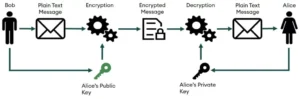
Every crypto wallet generates two mathematically linked keys:
| Key Type | What It Is | Analogy | Share It? |
|---|---|---|---|
| Public Key (Address) | Like your bank account number | Your email address | YES, safe to share |
| Private Key | Like your account password | Your email password | NEVER, keep secret |
How It Works
- To receive crypto: Share your public address (a long string of letters/numbers or a QR code). Anyone can send crypto to this address.
- To send crypto: Your wallet uses your private key to create a digital signature. This proves you own the funds without revealing the key itself.
- The blockchain verifies: The network checks your signature against your public key. If valid, the transaction is approved.
The Magic
Your private key never leaves your wallet. When you send crypto, your wallet creates a signature using the key, but the key itself stays safe on your device.
This is why even if your computer is hacked, your crypto can be safe. The hacker would need your physical wallet device or seed phrase.
What a Wallet Actually Stores
Your wallet doesn’t store “coins.” It stores:
- Your private keys (encrypted)
- Your public keys (addresses)
- Transaction history (for display)
- Connection to the blockchain (to check balances)
The Blockchain Connection
Your wallet constantly talks to the blockchain to show your balance. But your balance isn’t “in” the wallet, it’s on the blockchain, associated with your address. The wallet just helps you see and manage it.
Hot Wallets Explained
What Is a Hot Wallet?
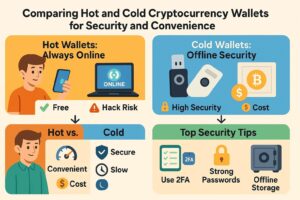
Hot wallets are crypto wallets connected to the internet. They’re convenient, often free, and great for small amounts you use regularly.
How Hot Wallets Work
Your private keys are stored on an internet-connected device – your phone, computer, or tablet. This makes sending and receiving instant and easy, but creates a security risk: anything connected to the internet can potentially be hacked.
Advantages of Hot Wallets
| Advantage | Why It Matters |
|---|---|
| Free | Most hot wallets cost nothing to download and use |
| Convenient | Send and receive instantly, anywhere |
| Easy setup | Download app, create wallet, done in minutes |
| dApp integration | Connect to DeFi, NFT marketplaces, games |
| Good for small amounts | Perfect for spending money, daily use |
Disadvantages of Hot Wallets
| Disadvantage | The Risk |
|---|---|
| Internet-connected | Vulnerable to hacking, malware |
| Device compromise | If your phone/computer is hacked, wallet may be too |
| Not for large amounts | Too risky for life savings |
| Recovery seed at risk | If device compromised, seed phrase could be stolen |
Who Should Use Hot Wallets
- Beginners with small amounts (under $1,000)
- Active traders needing quick access
- People using DeFi, NFTs, or dApps
- Spending money you’ll use soon
Examples of Hot Wallets
| Type | Examples |
|---|---|
| Mobile | MetaMask, Trust Wallet, Coinbase Wallet |
| Desktop | Exodus, Electrum, Atomic Wallet |
| Web-based | MyEtherWallet (used carefully) |
Rule of Thumb: Hot wallets are like your physical wallet, great for pocket money, but you wouldn’t keep your life savings there.
Cold Wallets Explained
What Is a Cold Wallet?
Cold wallets (or cold storage) keep your private keys completely offline. They never connect to the internet, making them immune to online hacking attempts.
How Cold Wallets Work
Your private keys are generated and stored on a device that never touches the internet. To send crypto:
- You create a transaction on an online computer
- Transfer it to the cold wallet (via USB or QR code)
- Sign it offline on the cold wallet
- Transfer the signed transaction back
- Broadcast it to the network
Your keys never go online.
Advantages of Cold Wallets
| Advantage | Why It Matters |
|---|---|
| Maximum security | Immune to online hacking |
| Safe for large amounts | Only way to truly secure life savings |
| Long-term storage | Perfect for HODLers |
| Physical confirmation | Must press button to approve transactions |
| Seed phrase offline | Generated and stored on device, never exposed |
Disadvantages of Cold Wallets
| Disadvantage | The Trade-off |
|---|---|
| Cost money | Hardware wallets cost $50-200 |
| Less convenient | Need device to send crypto |
| Can be lost/damaged | Physical object can be lost |
| Learning curve | Setup requires careful attention |
| Not for frequent use | Annoying for daily transactions |
Types of Cold Wallets
| Type | Description | Examples |
|---|---|---|
| Hardware Wallet | Dedicated device like a USB drive | Ledger, Trezor, KeepKey |
| Paper Wallet | Private keys printed on paper | (Less common now) |
| Air-gapped device | Never connects to internet | Coldcard, Keystone |
Who Should Use Cold Wallets
- Anyone with more than $1,000 in crypto (rule of thumb)
- Long-term holders (HODLers)
- People who don’t trade frequently
- Those serious about security
IMPORTANT: Even with cold wallets, you must protect your seed phrase. The device can be lost or destroyed – your seed phrase is your real backup.
Hot vs Cold: Comparison Table
| Feature | Hot Wallet | Cold Wallet |
|---|---|---|
| Internet connection | Always connected | Never connected (offline) |
| Security level | Good for small amounts | Maximum security |
| Convenience | Instant transactions | Requires device connection |
| Cost | Usually free | $50-200 for hardware |
| Best for | Daily use, small amounts | Long-term storage, large amounts |
| Hack risk | Vulnerable to online attacks | Immune to online attacks |
| Physical risk | Device can be hacked remotely | Device can be lost/stolen (but seed protects) |
| Setup time | Minutes | 15-30 minutes |
| Examples | MetaMask, Trust Wallet | Ledger, Trezor |
| Recovery | Seed phrase backup | Seed phrase backup |
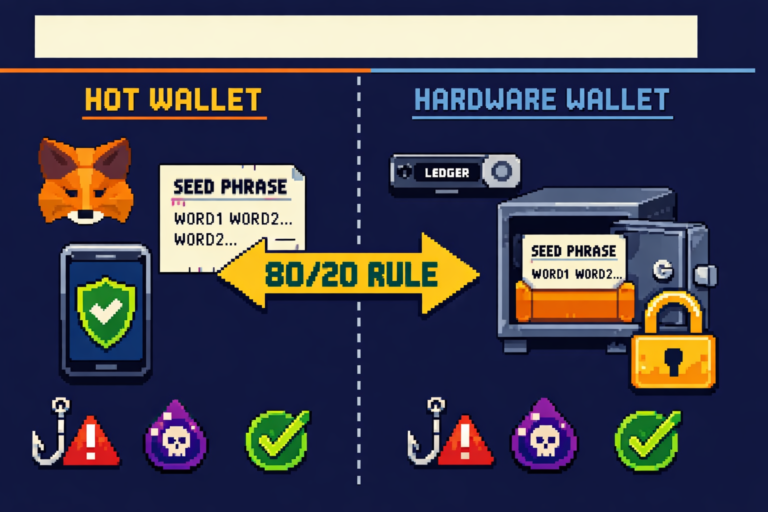
The Sweet Spot Strategy
Most crypto users benefit from BOTH
- Hot wallet: For spending money, DeFi, NFTs (keep small amount – 5-10% of holdings)
- Cold wallet: For savings, long-term holds (store 90-95% of funds)
Types of Hot Wallets
Mobile Wallets
Apps on your smartphone. Most popular for everyday use.
Pros
- Convenient (crypto in your pocket)
- QR code scanning for easy payments
- Often integrate with dApps
- Biometric login (fingerprint/face)
Cons
- Phone loss/theft risk (but seed phrase protects)
- Mobile malware exists
- Smaller screen for verification
Popular mobile wallets
- MetaMask (Ethereum and EVM chains)
- Trust Wallet (Binance-owned, multi-chain)
- Coinbase Wallet (separate from exchange)
- Rainbow (Ethereum, beautiful UI)
- Exodus (multi-chain, desktop too)
Desktop Wallets
Software installed on your computer.
Pros
- Full-screen interface
- Often more features
- Good for frequent traders
- Can run full node (some)
Cons
- Computer malware risk
- Not portable
- Must secure your computer
Popular desktop wallets
- Exodus (beautiful, multi-chain)
- Electrum (Bitcoin only, very secure)
- Atomic Wallet (multi-chain)
- Wasabi Wallet (Bitcoin privacy focus)
Web Wallets
Accessed through browser. Often exchange wallets.
Pros
- Accessible anywhere
- No download needed
- Often integrated with exchange
Cons
- Most risky (keys on someone else’s server)
- You don’t control private keys
- Exchange risk applies
Examples
- Coinbase.com (custodial, not your keys)
- Binance.com (custodial)
- MyEtherWallet (non-custodial web interface)
WARNING: Web wallets that are custodial (exchange accounts) are NOT true wallets, you don’t control the keys. Use with caution and only for small amounts.
Types of Cold Wallets
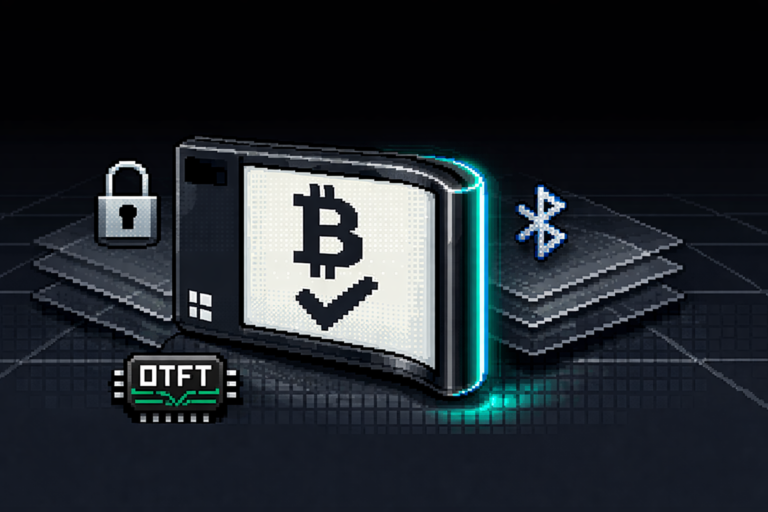
Hardware Wallets (The Gold Standard)
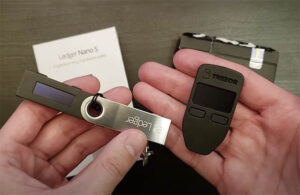
Dedicated devices designed specifically to store crypto keys securely.
How They Work
- Generate keys offline on device
- Display seed phrase for backup
- Connect to computer only when signing
- Require physical button press to confirm
- Private keys never leave device
Top Hardware Wallets
| Wallet | Best For | Price |
|---|---|---|
| Ledger Nano X | Overall, Bluetooth convenience | $149 |
| Ledger Nano S Plus | Budget, desktop use | $79 |
| Trezor Model T | Open source, touchscreen | $219 |
| Trezor One | Budget open source | $69 |
| KeepKey | Large screen, ShapeShift integration | $49 |
| Coldcard | Bitcoin only, maximum security | $120 |
Pros
- Maximum security
- Supports many coins
- User-friendly apps
- Recovery possible if lost
Cons
- Cost money
- Can be lost/damaged
- Need to keep firmware updated
Paper Wallets (Legacy Method)
Print your public and private keys on paper as QR codes.
How They Work
- Generate keys on offline computer
- Print them on paper
- Store paper securely (safe, safety deposit box)
- To spend, import private key to wallet
Pros
- Completely offline
- Free
- No electronics to fail
Cons
- Paper can be destroyed (fire, water, tear)
- Easy to lose
- Difficult to spend (must import)
- Not practical for frequent use
Modern Recommendation: Paper wallets are largely obsolete. Hardware wallets are easier to use and more secure in practice. Only consider paper if you really know what you’re doing.
Seed Phrases: The Master Key
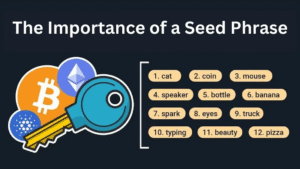
What Is a Seed Phrase?
A seed phrase (also called recovery phrase or mnemonic) is a list of 12-24 random words that can regenerate ALL your private keys. It’s the master key to your entire wallet.
Example
turtle avocado guitar rocket soul bicycle myth direct rhythm universe cement foster
Why Seed Phrases Exist
Your wallet generates many private keys (one for each cryptocurrency address). Remembering all of them would be impossible. The seed phrase is a human-readable way to back up ALL your keys at once.
How Seed Phrases Work
- When you create a wallet, it generates a seed phrase
- This seed is used with a mathematical formula to derive all your private keys
- If you lose your device, you can enter the seed phrase into ANY compatible wallet
- All your addresses and funds are restored
The Four Commandments of Seed Phrases

1. NEVER type it online
Not in Google Docs, not in Notes, not in password managers (for primary storage). If it touches the internet, it can be stolen.
2. Write it on paper
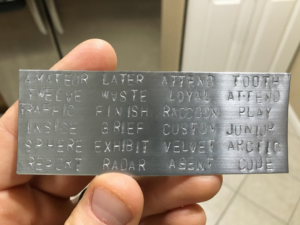
Physical backup only. Use the provided card or quality paper. Write clearly. Consider metal backups (engraved on titanium) that survive fire/flood.
3. Store it securely
Consider: safe, fireproof box, safety deposit box. For large amounts, use multiple locations.
4. Never share it
NO ONE will ever legitimately ask for your seed phrase. Not support, not a “verification” service. Anyone asking is a scammer.
The “3-2-1” Backup Rule
- 3 copies of your seed phrase
- 2 different storage methods (paper + metal)
- 1 off-site backup (safety deposit box or trusted location)
Test Your Backup
Before storing significant funds, test your backup:
- Create wallet, send small amount ($10-20)
- Wipe wallet (reset device)
- Restore from seed phrase
- Verify funds accessible
- Now you know backup works
DEADLY SERIOUS: Lose your seed phrase, lose your crypto. No company, no support, no government can help you recover it. The seed phrase IS your money.
How to Choose the Right Wallet
Decision Framework
| If you… | Recommended Wallet Type | Examples |
|---|---|---|
| Have less than $1,000 | Hot wallet (mobile/desktop) | MetaMask, Trust Wallet |
| Have $1,000-$10,000 | Hardware wallet | Ledger Nano S Plus |
| Have $10,000+ | Hardware wallet + multiple backups | Ledger/Trezor + metal |
| Trade frequently | Hot wallet for active funds + hardware for savings | Both |
| Use DeFi/NFTs | Hot wallet (MetaMask) + hardware for savings | Both |
| Are a complete beginner | Start with hot wallet, move to hardware later | Trust Wallet first |
| Are Bitcoin-only | Electrum (hot) or Coldcard (cold) | Electrum, Coldcard |
Questions to Ask Yourself
- How much crypto do I have? (Amount determines security need)
- How often will I use it? (Frequency determines convenience need)
- What coins do I hold? (Some wallets support more coins)
- Will I use DeFi/NFTs? (Need dApp-compatible wallet)
- How technical am I? (Some wallets are more beginner-friendly)
The Two-Wallet Strategy
Most experienced users use both
| Wallet | Purpose | Amount |
|---|---|---|
| Hot wallet | Daily spending, DeFi, small trades | 5-10% of holdings |
| Cold wallet | Long-term savings, “HODL” funds | 90-95% of holdings |
This gives you security AND convenience.
Wallet Security Best Practices
The Security Checklist
1. Seed Phrase Security
- Written on paper (never digital)
- Stored in secure location (safe, etc.)
- Multiple backups (3-2-1 rule)
- Tested recovery
2. PIN and Password
- Strong PIN (6+ digits, not 1234)
- Different from exchange passwords
- Never written with seed phrase
- Biometric where available (fingerprint)
3. Device Security
- Keep phone/computer updated
- Avoid jailbroken/rooted devices
- Use antivirus on computer
- No public WiFi for transactions
4. Transaction Verification
- Always verify addresses on device screen (hardware wallet)
- Check amounts before confirming
- Test with small amount first
5. Recovery Planning
- Family knows where to find seed (in case something happens to you)
- Instructions for heirs (without revealing seed)
- Multiple locations (fire/flood protection)
6. Avoid Common Traps
- Never enter seed phrase into any website
- Beware of fake wallet apps (download from official stores)
- Ignore DMs offering “support”
- Bookmark wallet sites (avoid phishing)
7. Regular Maintenance
- Update wallet software/firmware
- Check balances occasionally
- Test recovery annually
- Review security practices
The Paranoia Level Scale
| Level | Description | Who |
|---|---|---|
| 1-2 | Hot wallet, no backups | Beginners, tiny amounts |
| 3-4 | Hot wallet + seed backup | Small holders |
| 5-6 | Hardware wallet + paper seed | Serious holders |
| 7-8 | Hardware + metal seed + multiple locations | Large holders |
| 9-10 | Multi-sig + geographically distributed | Whales, institutions |
Common Wallet Mistakes That Lose Funds
Mistake 1: Digital Seed Phrase Storage
What people do: Screenshot seed phrase, save in Google Drive, store in Notes app, email to self.
What happens: Malware, hacked cloud accounts, or phone thief finds it. Funds gone.
Solution: Paper only. Metal for large amounts. Never digital.
Mistake 2: Not Testing Recovery
What people do: Set up wallet, send funds, never test recovery.
What happens: Years later, wallet breaks. Seed phrase has typo or they wrote wrong words. Funds inaccessible forever.
Solution: Test recovery immediately with small amount before depositing large sums.
Mistake 3: Single Point of Failure
What people do: One seed copy in house.
What happens: Fire, flood, theft. All copies destroyed.
Solution: Multiple locations. Off-site backup. Follow 3-2-1 rule.
Mistake 4: Buying Hardware Wallets from Third Parties
What people do: Buy from Amazon reseller (cheaper).
What happens: Tampered device with pre-set seed phrase. You deposit funds, thief steals them.
Solution: Buy DIRECTLY from manufacturer (Ledger.com, Trezor.io). Pay the shipping cost – it’s insurance.
Mistake 5: Not Verifying Addresses
What people do: Copy address from computer, paste, send. Don’t verify on device screen.
What happens: Malware on computer changes pasted address to thief’s address. You send to thief.
Solution: Always verify final address characters on hardware wallet screen. Every time.
Mistake 6: Outdated Firmware
What people do: Never update wallet firmware.
What happens: Known vulnerabilities unpatched. Potential hack.
Solution: Update regularly from official sources.
Mistake 7: Forgetting Where Seed Is
What people do: Hide seed too well. Years later, can’t find it.
What happens: Funds lost forever.
Solution: Tell trusted person OR document location clearly (not revealing words). Consider safety deposit box.
Mistake 8: Using Hot Wallets for Large Amounts
What people do: Keep $50k in MetaMask “for convenience.”
What happens: Phone malware, keylogger, or hack drains wallet.
Solution: Hot wallet for small amounts only. Hardware for large.
Mistake 9: Falling for Phishing Sites
What people do: Google wallet name, click first result (paid ad).
What happens: Fake site steals seed phrase on entry.
Solution: Bookmark official sites. Never click ads.
Mistake 10: Ignoring Small Test Amounts
What people do: Send $10,000 first transaction to new wallet.
What happens: Mistyped address? Wrong network? Funds gone forever.
Solution: Always test with tiny amount first. Always.
Next Steps: Get Your First Wallet
You now understand wallets. Here’s how to get started.
For Beginners (Small Amounts)
| Step | Action | Time |
|---|---|---|
| 1. Download a hot wallet | Trust Wallet or MetaMask | 5 minutes |
| 2. Write down seed phrase | Paper only, store safely | 5 minutes |
| 3. Buy small crypto on exchange | $50 worth | 10 minutes |
| 4. Transfer to wallet | Send from exchange to wallet address | 10 minutes |
| 5. Practice | Send small amount back to exchange | 10 minutes |
For Serious Holders ($1,000+)
| Step | Action | Resource |
|---|---|---|
| 1. Buy a hardware wallet | Ledger or Trezor | Best Hardware Wallets 2026 Guide |
| 2. Set up properly | Follow our setup guide | Hardware Wallet Setup |
| 3. Test with small amount | Send $20, wipe, restore, verify | — |
| 4. Move your savings | Transfer from exchange to hardware | — |
Recommended Next Reads
- 📚 Best Hardware Wallets 2026: Ledger vs Trezor vs Others
- 🔒 How to Set Up Your Ledger Nano
- 🛡️ Crypto Security: Complete Guide
- 📖 Complete Cryptocurrency Guide for Beginners
Final Thought
When I first moved crypto to my own wallet, I felt something unexpected: nervous. For years, I’d trusted exchanges. Now the responsibility was mine.
But that nervousness is exactly the point. With great power (owning your keys) comes great responsibility (not losing them). Take it seriously. Start small. Test everything. Protect your seed phrase like it’s your life savings. Because it is.
You now understand wallets better than most people who already own crypto. The next step is yours.
Disclosure: This guide is for educational purposes only and does not constitute financial advice. Cryptocurrency involves risk, and securing it properly is your responsibility. We only recommend products we personally use and trust.
This guide was last updated for the 2026 edition. Wallet technology evolves—check back for updates, and always verify information with multiple sources before making security decisions.
Frequently Asked Questions
What's the difference between hot and cold wallets?
Hot wallets are connected to the internet (phone/computer apps), convenient but less secure. Cold wallets are offline (hardware devices), very secure but less convenient. Use hot for small amounts, cold for savings.
Is Coinbase a wallet?
Coinbase exchange is NOT a true wallet. It's custodial, meaning Coinbase holds your private keys. Coinbase Wallet (separate app) IS a true wallet where you control keys. Don't confuse them.
Which crypto wallet is safest?
Hardware wallets (Ledger, Trezor) are the safest for most people. They keep keys offline and require physical confirmation. For absolute maximum security, consider multi-signature setups.
What is a seed phrase?
A seed phrase is 12-24 random words that can restore your entire wallet. It's the master key to your crypto. Write it on paper, store securely, NEVER share it or store it digitally.
Do I need a wallet for crypto?
If you own crypto you want to keep, YES. Exchanges can be hacked, freeze funds, or go bankrupt. Your own wallet gives you true ownership. For small amounts actively traded, exchange might be okay.
Can a crypto wallet be hacked?
Hot wallets can be hacked if your device is compromised. Cold wallets (hardware) are extremely difficult to hack remotely. Most crypto "hacks" are actually users making mistakes (sharing seeds, phishing).
What happens if I lose my crypto wallet?
If you have your seed phrase, buy a new wallet and restore. If you lose both wallet AND seed phrase, your crypto is gone forever. This is why seed phrase backup is critical.
How do I transfer crypto to a wallet?
) Get wallet address (public key) from your wallet. 2) Go to exchange where you bought crypto. 3) Withdraw to that address. 4) Wait for confirmation. Always test with small amount first.
What's the best wallet for beginners?
Start with Trust Wallet or MetaMask (hot wallets) for small amounts. Once you understand how they work and have more crypto, buy a Ledger or Trezor hardware wallet.
Is MetaMask a wallet?
Yes, MetaMask is a popular hot wallet for Ethereum and EVM-compatible chains. It's a browser extension and mobile app. You control your keys.
How much does a crypto wallet cost?
Hot wallets: free. Hardware wallets: $50-$200. The cost of a hardware wallet is cheap insurance for your crypto.
Can I have multiple crypto wallets?
Yes! Most people have multiple: a hot wallet for daily use and a cold wallet for savings. You can also have different wallets for different blockchains.
What is a multi-signature wallet?
A multi-sig wallet requires multiple private keys to authorize a transaction (e.g., 2-of-3). Much more secure, used by businesses and large holders ($100,000+).
How do I choose a wallet?
Consider: amount of crypto, frequency of use, which blockchains you use, technical comfort level, and security needs. See our decision guide above.
About the Author

3 thoughts on “What is a Crypto Wallet? Hot vs Cold Storage Explained (2026)”