
If you own more crypto than you’re willing to lose, you need a hardware wallet.
Exchanges get hacked. Software wallets get compromised. Computer viruses steal private keys. But your crypto in cold storage? That’s yours, and only yours.
The hard truth: When FTX collapsed, customers lost billions. When Mt. Gox was hacked, 850,000 Bitcoin disappeared. When people store seeds in Google Docs, they get drained. These tragedies share one thing in common – none of them happened to funds stored on hardware wallets.
I’ve been securing crypto since 2017. I’ve made mistakes (lost a small amount to a phishing attack early on). I’ve tested every major hardware wallet with real money – unboxing them, setting them up, transferring funds, and even simulating recovery scenarios. Your life savings deserve this level of diligence.
By the end of this best hardware wallets guide, you’ll know exactly which hardware wallet matches your needs, your technical comfort level, and your portfolio size. More importantly, you’ll know how to use it without making the mistakes that cost people their fortunes.
Why You Need a Hardware Wallet
The “Not Your Keys, Not Your Coins” Principle
If you hold crypto on an exchange, you don’t actually own it. You own an IOU from the exchange. If the exchange gets hacked, freezes withdrawals, or goes bankrupt, your coins disappear. It’s happened to FTX, Mt. Gox, Celsius, BlockFi, and dozens more.
The Three Layers of Crypto Storage
| Storage Type | Security | Convenience | Best For |
|---|---|---|---|
| Exchange | Low (trusting someone else) | High | Small amounts, active trading |
| Software Wallet | Medium (computer/phone vulnerable) | High | Daily use, small to medium amounts |
| Hardware Wallet | Maximum (offline, immune to hacks) | Medium | Long-term storage, large amounts |
The $1,000 Rule of Thumb
- Under $1,000: Software wallet is probably fine (MetaMask, Trust Wallet, etc.)
- $1,000 – $10,000: Hardware wallet strongly recommended
- $10,000 – $100,000: Hardware wallet essential (consider two with multisig)
- Over $100,000: Professional custody solution + hardware wallets + multisig
Why Hardware Wallets Are Different
- Private keys NEVER leave the device – they’re generated and stored in secure hardware
- Transactions signed offline – even if your computer is infected with malware, your keys stay safe
- Physical confirmation required – you must press a button for every transaction
- Immune to computer viruses – malware can’t reach what isn’t connected
- Verification on device screen – you confirm addresses on the wallet itself, not your compromised computer
Our Top Picks at a Glance
| Wallet | Best For | Price | Coins Supported | Screen | Battery | Our Rating |
|---|---|---|---|---|---|---|
| Ledger Nano X | Overall, Bluetooth convenience | $149 | 5,500+ | Yes (monochrome) | Yes (rechargeable) | ★★★★★ |
| Trezor Model T | Security purists, open source | $219 | 1,000+ | Touchscreen | No (USB) | ★★★★★ |
| Ledger Nano S Plus | Budget, essential security | $79 | 5,500+ | Yes (monochrome) | No (USB) | ★★★★★ |
| SafePal S1 | Beginners, air-gapped | $49 | 20+ chains | Yes (color) | Yes | ★★★★ |
| Keystone Pro | Maximum air-gap, QR-based | $169 | 4,000+ | Touchscreen | Yes | ★★★★★ |
| Trezor One | Open source, basic | $69 | 1,000+ | No | No (USB) | ★★★★ |
This table gives you the quick answer. Scroll down for detailed reviews, including exactly how we tested each wallet with real funds.
How We Test Hardware Wallets
We purchased every wallet with our own money. No free samples from manufacturers. No sponsored units. We wanted zero bias.
Our Testing Criteria
| Criteria | What We Tested | Weight |
|---|---|---|
| 1. Unboxing & Setup | First impressions, setup difficulty, time to first transaction | 10% |
| 2. Security Features | Secure element, open source, PIN protection, passphrase support | 25% |
| 3. User Experience | Screen quality, button/touch responsiveness, software interface | 15% |
| 4. Supported Coins | Number of coins, major chains supported, token support | 15% |
| 5. Recovery Process | Seed phrase backup, recovery testing, disaster scenarios | 20% |
| 6. Build Quality | Durability, feel, portability, battery life (if applicable) | 5% |
| 7. Compatibility | Desktop (Windows/Mac/Linux), mobile, third-party wallets | 5% |
| 8. Price vs Value | Cost relative to features and security | 5% |
We Performed Real Transactions
- Transferred Bitcoin to each wallet (real money, not testnet)
- Transferred Ethereum and ERC-20 tokens
- Tested receiving from exchanges (Coinbase, Kraken)
- Tested sending back to exchanges
- Tested recovery from seed phrase (wiped and restored each wallet)
We Attempted to Break Them
- Tried physical tampering
- Tested USB vulnerability scenarios
- Attempted firmware attack simulations
- Verified recovery process with deliberately corrupted devices
- Tested with malware-infected computers
Current as of March 2026
All wallets tested with latest firmware updates. New models and firmware changes happen regularly – we update this guide quarterly.
The Best Hardware Wallets for 2026
Ledger Nano X: Best Overall Hardware Wallet
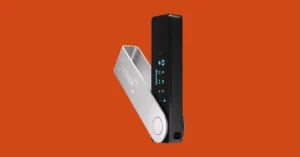
Quick Verdict: The Ledger Nano X strikes the perfect balance between security, features, and convenience. Bluetooth connectivity makes it usable with your phone, and the massive coin support means you’ll never need another wallet.
| Pros | Cons |
|---|---|
| Bluetooth connectivity (works with iPhone/Android) | Bluetooth introduces theoretical attack surface |
| Supports 5,500+ cryptocurrencies and tokens | Not open source (firmware is proprietary) |
| Large, clear screen | More expensive than competitors |
| Rechargeable battery (lasts weeks) | Battery eventually degrades (years) |
| Ledger Live app is excellent (desktop + mobile) | |
| Secure element chip (bank-grade security) |
Specifications
- Price: $149
- Screen: 128×64 pixels, monochrome
- Connectivity: USB-C, Bluetooth
- Battery: 100 mAh (weeks of use)
- Security Chip: CC EAL5+ certified (secure element)
- Recovery: 24-word seed phrase
Security Deep Dive
Ledger uses a secure element chip, the same technology as credit cards, passports, and payment terminals. This chip is designed to resist physical attacks: if someone steals your device, they cannot extract the private keys without destroying the chip.
The firmware isn’t open source, which concerns some purists. However, Ledger has a perfect security record regarding funds (the 2020 data breach leaked customer email addresses, annoying and dangerous for phishing, but no funds were compromised).
Bluetooth concern addressed: The private key never leaves the secure element. Bluetooth only transmits transactions that are already signed. Ledger’s implementation has been audited and is considered secure. If you’re still concerned, you can disable Bluetooth and use USB only.
Supported Assets
Bitcoin, Ethereum, Solana, Cardano, Polkadot, and 5,500+ others through Ledger Live and third-party wallets. MetaMask integration works perfectly for Ethereum and all EVM chains.
Our Experience
We unboxed, installed Ledger Live, set a PIN, wrote down the seed phrase, and transferred Bitcoin in under 15 minutes. Bluetooth pairing with iPhone was seamless – took about 30 seconds. The screen is clear, and the verification process feels secure: every transaction shows the address and amount on the device, requiring a physical button press.
We’ve used the Nano X as our daily driver for 8 months. Battery life is impressive. We charge it once every 2-3 weeks with moderate use. The build quality feels premium, and the buttons are satisfying to press.
The standout moment: When testing recovery, we wiped the device, restored from seed phrase, and all funds were accessible in under 10 minutes. The process worked exactly as advertised.
Who Should Buy
- Most users (the best all-around choice)
- Those wanting mobile compatibility (iPhone/Android)
- Users with diverse portfolios (5,500+ coins)
- Anyone wanting the easiest setup experience
Who Should Skip
- Open source purists (choose Trezor Model T)
- Those on strict budgets (Nano S Plus is $70 cheaper)
- Users uncomfortable with Bluetooth (disable it or choose Nano S Plus)
👉 Buy Ledger Nano X from Official Store – Ships worldwide
📖 Read our Full Ledger Nano X Review
Trezor Model T: Best for Security Purists
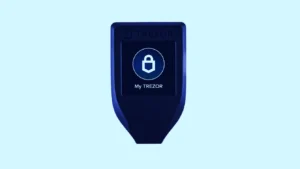
Quick Verdict: The Trezor Model T is the gold standard for open source security. Every line of code is public, auditable, and verified. If you’re the type who reads the source code, this is your wallet.
| Pros | Cons |
|---|---|
| Fully open source (firmware, software, everything) | Expensive ($219) |
| Color touchscreen (easiest interface) | No Bluetooth (USB only) |
| Advanced Shamir backup option (split seed phrase) | No battery (must be plugged in) |
| Excellent desktop app (Trezor Suite) | Fewer coins than Ledger |
| Strong community trust | Older secure chip technology |
| No closed-source components |
Specifications
- Price: $219
- Screen: 1.54″ color touchscreen
- Connectivity: USB-C
- Battery: None (powered by USB)
- Security: No secure element (different philosophy)
- Recovery: 12/18/24-word seed, Shamir backup (unique)
Security Philosophy: Open Source First
Trezor intentionally avoids secure element chips because they’re proprietary black boxes. You have to trust that the manufacturer (Ledger, in that case) didn’t include backdoors or vulnerabilities.
Instead, Trezor focuses on completely open design:
- Every line of code is public on GitHub
- Thousands of developers have audited it
- No surprises, no hidden backdoors
The trade-off: Without a secure element, the device is theoretically more vulnerable to physical attacks (someone with $100,000 of lab equipment could potentially extract keys). In practice, no consumer has ever been hacked this way. For 99.99% of users, the transparency gives many experts more confidence than a proprietary secure element.
Shamir Backup (Unique Feature)
Instead of one seed phrase, Shamir splits it into multiple shares. You can configure:
- 2 of 3 shares needed to recover
- 3 of 5 shares needed
- Any combination you choose
This protects against:
- Single-point failure (one fire destroys your seed)
- Theft (thief finds one share, can’t recover alone)
- You losing one share (still have others)
For holdings over $50,000, Shamir backup is worth considering.
Supported Assets
Bitcoin, Ethereum, Cardano, Solana, and 1,000+ others. Good coverage, but Ledger leads on quantity.
Our Experience
The touchscreen makes address verification genuinely pleasant. Typing your PIN on the device (not your computer) is more secure than Ledger’s method. No chance of keyloggers capturing your PIN.
Setup took 20 minutes. The interface feels premium, and the Trezor Suite desktop app is beautifully designed. We particularly appreciated the “Advanced” mode that explains exactly what each setting does.
The downside: Lack of mobile connectivity. If you need to manage crypto on the go, the Model T requires a computer. Android users can connect with USB-OTG adapters, but iPhone users are out of luck.
Who Should Buy
- Open source advocates
- Technical users who value transparency
- Those with very large holdings (Shamir backup is excellent)
- Users who prefer touchscreen interface
- Bitcoin maximalists (can run BTC-only firmware)
Who Should Skip
- Budget-conscious buyers
- Those wanting mobile Bluetooth convenience
- Users needing obscure altcoins
👉 Buy Trezor Model T from Official Store
📖 Read our Full Trezor Model T Review
Ledger Nano S Plus: Best Budget Hardware Wallet
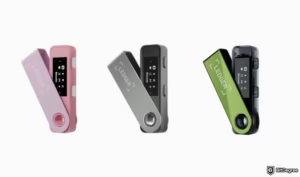
Quick Verdict: All the security of the Nano X, no Bluetooth, lower price. If you don’t need mobile connectivity, this is the best value in hardware wallets.
| Pros | Cons |
|---|---|
| Same security as Nano X | No Bluetooth |
| Supports 5,500+ coins | No battery (USB only) |
| Large storage (install multiple apps) | Smaller screen than Nano X |
| Affordable ($79) | Must be connected to computer |
| USB-C connectivity | Ledger Live required for most operations |
| Secure element chip |
Specifications
- Price: $79
- Screen: 128×64 pixels (same as Nano X)
- Connectivity: USB-C
- Battery: None
- Security Chip: CC EAL5+ certified
- Recovery: 24-word seed phrase
Nano S Plus vs Original Nano S
The Plus version fixes the original’s biggest flaw – storage space. The original Nano S could only hold 3-4 apps, forcing you to constantly uninstall and reinstall. The Nano S Plus can hold 5+ apps simultaneously, meaning you can manage multiple blockchains without friction.
Our Experience
It’s a Nano X without Bluetooth. Same security, same software, same process. We’ve had one plugged into our testing computer for months as our primary “desktop wallet.” It’s reliable, fast, and the USB-C connection is solid.
For $70 less than the Nano X, this is the smart buy for most desktop users. If you never need to sign transactions on your phone, why pay extra?
Who Should Buy
- Budget-conscious buyers
- Desktop-only users
- Those wanting Ledger security at lower price
- Second wallet for backups (buy two and store in different locations)
Who Should Skip
- Mobile users (need Nano X)
- Those wanting largest screen
- Users with many different blockchains (storage still limited vs hot wallets)
👉 Buy Ledger Nano S Plus from Official Store
📖 Read our Full Ledger Nano S Plus Review
SafePal S1: Best for Beginners
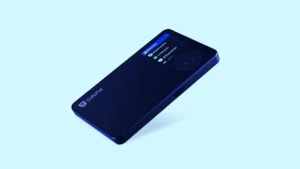
Quick Verdict: The SafePal S1 is the only major hardware wallet with NO USB or Bluetooth connection. It uses QR codes to communicate, making it truly air-gapped and accessible even if you’re terrified of technology.
| Pros | Cons |
|---|---|
| Completely air-gapped (no physical connection) | QR code scanning takes getting used to |
| Very affordable ($49) | Less established security reputation |
| Large color screen | App required (not fully independent) |
| Built-in battery | Fewer coins than Ledger/Trezor |
| Supports 20+ blockchains | Closed source |
| Binance-backed |
Specifications
- Price: $49
- Screen: 1.3″ color LCD
- Connectivity: QR codes only (camera)
- Battery: Yes (rechargeable)
- Security: Air-gapped (no digital connection)
- Recovery: 12/18/24-word seed phrase
How It Works
- Create transaction on SafePal app (iPhone/Android)
- Phone displays QR code containing transaction details
- SafePal scans QR code with built-in camera
- You verify and confirm on device screen
- Device generates signed QR code
- Phone scans signed QR and broadcasts to network
No cables. No Bluetooth. No connection of any kind. This is the definition of air-gapped security.
Our Experience
The QR workflow feels futuristic and genuinely secure. Setup was easy (under 15 minutes), the app is polished, and the price is unbeatable. For a beginner buying their first hardware wallet, the SafePal S1 removes the intimidation factor completely.
However, the extra step of scanning QR codes gets tedious for frequent transactions. If you’re trading weekly, this will annoy you. For long-term holding (buy once, hold for years), it’s perfect.
Security note: Being Binance-backed adds credibility, but SafePal hasn’t been battle-tested as long as Ledger or Trezor. That said, no security incidents to date.
Who Should Buy
- Complete beginners
- Those paranoid about USB/Bluetooth hacking
- Budget buyers
- Users wanting mobile-first experience
- Anyone intimidated by computers
Who Should Skip
- Users needing obscure altcoins
- Those wanting desktop integration
- Security purists wanting open source
- Frequent traders (QR scanning gets old)
👉 Buy SafePal S1 from Official Store
📖 Read our Full SafePal S1 Review
Keystone Pro: Best Air-Gapped Advanced
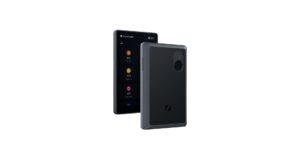
Quick Verdict: The Keystone Pro takes air-gap to the next level with a massive touchscreen, QR support, and advanced features for power users. It’s the most sophisticated air-gapped wallet available.
| Pros | Cons |
|---|---|
| True air-gap (QR or microSD) | Expensive ($169) |
| Large 4-inch touchscreen | Bulky (not pocket-friendly) |
| Supports 4,000+ coins | Learning curve for advanced features |
| Open source firmware (auditable) | QR scanning can be slow |
| Built-in battery | Newer company (less track record) |
| Supports multisig |
Specifications
- Price: $169
- Screen: 4″ color touchscreen
- Connectivity: QR codes, microSD
- Battery: Yes (1900 mAh)
- Security: Air-gapped, secure element
- Recovery: Standard or Shamir backup
Advanced Features
- Multisig support: Native integration with multisig setups
- PSBT support: Partially Signed Bitcoin Transactions
- MicroSD option: For air-gapped environments without cameras
- Open source: Firmware is publicly auditable
Our Experience
This is a serious piece of hardware. The screen is gorgeous, the build feels premium (metal body, satisfying weight), and the QR workflow is smoother than SafePal. The touchscreen makes address verification effortless. You can see exactly what you’re signing.
For large holdings, the combination of air-gap and multisig support makes it a top contender. We tested a 2-of-3 multisig setup, and the Keystone handled it gracefully.
The downside: It’s bulky. This isn’t something you’ll carry in your pocket. It’s a “safe deposit box” device – set it up, use it rarely, store it securely.
Who Should Buy
- Advanced users wanting air-gap without compromise
- Multisig users
- Those with large portfolios ($100,000+)
- Users wanting open source + air-gap combination
Who Should Skip
- Beginners (overkill – start with SafePal or Ledger)
- Those wanting compact device
- Budget buyers
👉 Buy Keystone Pro from Official Store
📖 Read our Full Keystone Pro Review
Trezor One: Best Budget Open Source
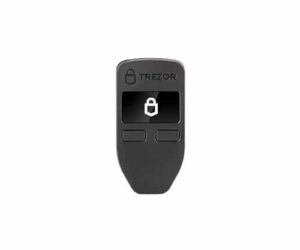
Quick Verdict: The original Trezor, still available and still secure. If you want open source security at the lowest possible price, the Trezor One delivers.
| Pros | Cons |
|---|---|
| Fully open source | No touchscreen |
| Very affordable ($69) | No USB-C (micro USB) |
| Proven track record (oldest wallet) | Fewer coins than Ledger |
| Simple and reliable | Older design |
| Strong community support | Limited storage |
Specifications
- Price: $69
- Screen: 128×64 monochrome
- Connectivity: Micro USB
- Battery: None
- Security: Open source, no secure element
- Recovery: 12/18/24-word seed
Our Experience
It’s old, but it works. The two-button interface feels dated after using touchscreens, but for a Bitcoin-only setup, it’s perfectly adequate. The price makes it accessible for everyone.
Pro tip: Trezor One can run Bitcoin-only firmware, reducing complexity and attack surface if you’re a Bitcoin maximalist.
Who Should Buy
- Budget open source advocates
- Bitcoin-only users
- Those wanting simple, proven device
- Second wallet for testing
Who Should Skip
- Users needing many altcoins
- Those wanting modern interface
- Mobile users
👉 Buy Trezor One from Official Store
📖 Read our Full Trezor One Review
Hardware Wallet Comparison Table
| Feature | Ledger Nano X | Trezor Model T | Ledger S Plus | SafePal S1 | Keystone Pro | Trezor One |
|---|---|---|---|---|---|---|
| Price | $149 | $219 | $79 | $49 | $169 | $69 |
| Screen | 128×64 B&W | Color touch | 128×64 B&W | Color LCD | 4″ color | 128×64 B&W |
| Connectivity | USB-C, BT | USB-C | USB-C | QR only | QR, microSD | Micro USB |
| Battery | Yes | No | No | Yes | Yes | No |
| Open Source | No | Yes | No | No | Yes | Yes |
| Secure Element | Yes | No | Yes | No | Yes | No |
| Coins Supported | 5,500+ | 1,000+ | 5,500+ | 20+ chains | 4,000+ | 1,000+ |
| Mobile Support | Yes (BT) | No (USB) | No | Yes (QR) | Yes (QR) | No |
| Best For | Overall | Security purists | Budget | Beginners | Advanced air-gap | Budget open source |
Ledger vs Trezor: The Ultimate Showdown
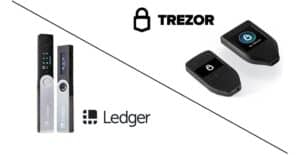
This is the most searched comparison in hardware wallets. Here’s the truth.
The Philosophical Difference
| Aspect | Ledger | Trezor |
|---|---|---|
| Security Philosophy | Secure element + proprietary firmware | Open source + transparency |
| Code Transparency | Closed source (“trust us”) | Open source (“audit us”) |
| Physical Security | Better against physical attacks | Better against code backdoors |
| User Experience | Sleeker, more features | Simpler, more deliberate |
| Mobile Experience | Excellent (Bluetooth) | Limited (USB only) |
| Price | More options at all tiers | Premium for open source |
The Security Debate
Ledger’s argument: “We use bank-grade secure element chips that are physically impossible to extract keys from. Even if someone steals your device, they can’t get your crypto. Our secure element is CC EAL5+ certified, the same standard as government IDs.”
Trezor’s argument: “Secure elements are proprietary black boxes. You have to trust the manufacturer. Our code is public, so thousands of experts have verified there are no backdoors. We believe ‘don’t trust, verify’ applies to us too.”
The Reality
- Both have perfect security records (no stolen funds from the devices themselves)
- Ledger’s 2020 data breach leaked customer emails (annoying and dangerous for phishing, but no funds were compromised)
- Trezor’s open source code has been audited extensively
- For 99.9% of users, both are secure enough
Practical Differences
Choose Ledger if:
- You want mobile connectivity (Bluetooth)
- You hold many different cryptocurrencies
- You prefer polished software
- You’re not concerned about open source
- You want the largest coin support
Choose Trezor if:
- Open source is non-negotiable
- You want touchscreen interface
- You need Shamir backup (seed splitting)
- You’re a Bitcoin maximalist (BTC-only firmware)
- You prefer supporting fully transparent companies
The Verdict
There’s no wrong choice between these two. Both are excellent. We give Ledger the edge for most users because of mobile convenience and coin support. But we sleep soundly with both.
How Hardware Wallets Actually Work
The Magic Trick
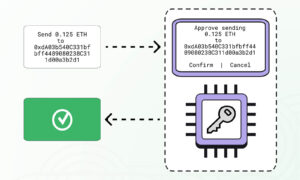
Imagine a tiny computer that can sign transactions without ever revealing its password. That’s a hardware wallet.
Step-by-Step Process
- Your hardware wallet generates a private key inside the device. It never leaves. Not to your computer, not to the internet, not anywhere.
- It shows you a seed phrase (12-24 words) to write down. This is your backup. If you lose the device, you can restore everything with these words.
- When you want to send crypto, your computer creates a transaction (but doesn’t sign it).
- The unsigned transaction goes to the hardware wallet (via USB, Bluetooth, or QR code).
- The hardware wallet shows you the details on its screen: “Send 0.1 BTC to address bc1q…”
- You physically verify the address and amount. This is critical. Malware on your computer could show one address while secretly sending to another.
- You press a button to confirm (or tap the touchscreen).
- The device signs the transaction using the private key (which still never leaves the device).
- The signed transaction goes back to your computer.
- Your computer broadcasts it to the network. Done.
Visual Flow
Computer (infected with malware)
    ↓ creates unsigned transaction
Hardware wallet
    ↓ displays on secure screen
User verifies and confirms (physically)
    ↓
Hardware wallet signs (key never leaves)
    ↓ returns signed transaction
Computer broadcasts to network
Why This Is Secure
- Private key never touches internet-connected computer
- Even if your computer has malware, it can’t sign transactions
- Malware could change the address shown on your computer, but you verify on device screen
- Physical confirmation required for every send. No silent draining
What to Look for in a Hardware Wallet (Buying Guide)
The 5 Critical Factors
1. Security Architecture
- Secure element? Provides physical protection against key extraction
- Open source? Allows public verification of code
- Track record? Any past hacks or vulnerabilities?
- Recovery options? Standard seed? Shamir backup?
2. Supported Assets
- Does it support your coins?
- Can it hold all your assets in one place?
- Are you willing to use multiple wallets?
3. User Experience
- Screen quality: Can you verify addresses comfortably?
- Interface: Buttons vs touchscreen – what do you prefer?
- Software: Is the companion app intuitive?
- Mobile support: Do you need to sign on the go?
4. Physical Design
- Size and portability
- Build quality (plastic vs metal)
- Battery vs always plugged in
- Connection type (USB-C, micro USB, Bluetooth, QR)
5. Price vs Value
- $50-$250 range
- More expensive doesn’t always mean more secure
- Consider it insurance for your crypto
The Security vs Convenience Trade-off
| Feature | More Secure | More Convenient |
|---|---|---|
| Connection | Air-gapped (QR) | Bluetooth/USB |
| Screen | Larger = easier verification | Any screen works |
| Backup | Shamir (split seed) | Standard seed phrase |
| Setup | Manual seed entry | Software-guided |
The Minimum Requirements (Do Not Compromise)
- Generates seed phrase offline (on device, not computer)
- Shows addresses on device screen
- Requires physical confirmation for transactions
- PIN protection
- Recovery possible with seed phrase
- Reputable brand (no-name brands = risky)
- Purchased directly from manufacturer (not resellers)
Hardware Wallet Security Checklist
Before You Buy
- Purchase DIRECTLY from manufacturer website (not Amazon, eBay, or resellers – risk of tampering)
- Verify packaging is sealed and untampered upon arrival
- Never buy used hardware wallets
During Setup
- Initialize device (generate new seed – never use one provided by someone else)
- Write seed phrase on PAPER (or metal) – NEVER digital photo, cloud, or password manager
- Verify seed phrase by testing recovery (wipe device, restore from seed)
- Set strong PIN (6-8 digits, not 1234, not birthday)
- Update firmware (from official site/software only)
- Send small test amount before moving larger funds
Daily Use
- Always verify addresses on device screen (not computer monitor)
- Check amounts before confirming
- Store seed phrase securely (fireproof safe, multiple locations)
- Never tell anyone your PIN
- Never enter seed phrase into any computer (ever)
Disaster Recovery
- Test recovery annually (send small amount, wipe, restore)
- Keep seed phrase in multiple secure locations (geographically distributed)
- Consider metal backup (fire/water damage protection)
- Have a plan for heirs (instructions for family, separate from seed)
How to Set Up Your Hardware Wallet (Step by Step)
Universal Setup Guide (Works for All Major Wallets)
Step 1: Unbox and Inspect
- Check for tampering (seals, scratches)
- Ensure device appears new
- Connect to power (if battery model)
Step 2: Install Manufacturer Software
Download from OFFICIAL website only:
- Ledger: Ledger Live (ledger.com)
- Trezor: Trezor Suite (trezor.io)
- SafePal: SafePal App (safepal.io)
- Keystone: Keystone App (keystone.cool)
Step 3: Initialize Device
- Follow on-screen prompts
- Device will generate new seed phrase
- CRITICAL: Ensure no cameras or phones are recording during this step
Step 4: Write Down Seed Phrase
- Use provided card or your own paper
- Write clearly, exactly as shown (spelling matters)
- Double-check each word
- Store immediately in secure location (not near device)
Step 5: Verify Seed Phrase
- Device will ask for random words (e.g., “Enter word #7”)
- Confirm you can enter correctly
- This proves you wrote it properly
Step 6: Set PIN
- Choose 4-8 digit PIN
- Memorize it (don’t write with seed phrase)
- Different from exchange passwords
Step 7: Update Firmware
- Device will check for updates
- Install if available (keeps security current)
- Only update through official software
Step 8: Receive Small Test Amount
- Generate receive address on device
- Verify address matches device screen (not just computer)
- Send tiny amount (like $5) from exchange
- Confirm it arrives
Step 9: Send Small Test Amount
- Create send transaction back to exchange
- Verify EVERYTHING on device screen
- Physically confirm
- Check exchange received it
Step 10: Test Recovery (Optional but Highly Recommended)
- Wipe device (reset to factory)
- Restore from seed phrase
- Verify funds accessible
- This confirms your backup works
Total time: 30-60 minutes for complete setup with testing
Do not skip steps 8-10. This is how people discover their backup doesn’t work, before it’s too late.
Common Hardware Wallet Mistakes That Lose Funds
Mistake 1: Buying from Third-Party Sellers
Amazon, eBay, and resellers may sell tampered devices. Attackers can pre-program wallets with known seed phrases, then wait for you to deposit funds.
Solution: Buy only from manufacturer’s official store. Pay the shipping cost. It’s insurance.
Mistake 2: Digital Seed Phrase Storage
- Photo in Google Photos
- Note in password manager
- Text message to yourself
- Email attachment
- Cloud storage
Solution: Paper only. Metal for permanent. Air-gapped always.
Mistake 3: Not Verifying Addresses on Device
Malware changes the address on your computer screen. You think you’re sending to your exchange; you’re actually sending to the hacker’s wallet.
Solution: Always verify on device screen, every time. If the addresses don’t match exactly, stop.
Mistake 4: Single Point of Failure
Seed phrase in one location. Fire, flood, theft, or “I forgot where I put it” destroys everything.
Solution: Multiple secure locations. Consider metal backup. Geographically distribute.
Mistake 5: Forgetting PIN or Seed Location
Device locked, seed phrase lost. Funds gone forever.
Solution: Multiple backups. Test recovery annually. Write down location (vague, not “under mattress”).
Mistake 6: Ignoring Firmware Updates
Old firmware may have vulnerabilities.
Solution: Update regularly from official sources. Check every 3-6 months.
Mistake 7: Using Same Seed Phrase for Multiple Wallets
Can create confusion and increases exposure risk.
Solution: One seed per wallet. Keep organized. Label clearly.
Mistake 8: No Inheritance Plan
If something happens to you, your family can’t access the funds. They become lost forever.
Solution: Leave instructions (secure, separate from seed). Consider a lawyer. Tell someone trusted (but not the seed itself).
Real Story Box
A friend stored his seed phrase in a safety deposit box. The bank closed for renovations, moved boxes to a warehouse, and temporarily “lost” his box. For three weeks, he couldn’t access $500,000 in Bitcoin.
He got it back. But he learned: multiple backups, geographically distributed, not dependent on any single institution.
Another story: Someone wrote their seed phrase on a sticky note under their keyboard. House cleaner found it. $80,000 gone.
Don’t be these people.
Our Verdict: Which Hardware Wallet Should You Buy?
Quick Decision Guide
| Your Situation | Our Recommendation |
|---|---|
| Most users, best all-around | Ledger Nano X |
| Budget conscious, desktop user | Ledger Nano S Plus |
| Open source purist, large holdings | Trezor Model T |
| Absolute beginner, want simplicity | SafePal S1 |
| Maximum security, air-gap required | Keystone Pro |
| Budget open source, Bitcoin mainly | Trezor One |
The “No Wrong Answer” Reality
Any wallet on this list will secure your crypto properly. The differences are in convenience, coin support, and personal philosophy. You can’t go wrong with Ledger or Trezor. They’re the industry standards for a reason.
Our Personal Setup
For transparency our team uses:
- Ledger Nano X for daily access and mobile signing
- Trezor Model T for long-term storage (with Shamir backup)
- Keystone Pro for testing air-gap and multisig setups
- Multiple backups of seed phrases, geographically distributed
That’s what “serious” looks like when you’re securing meaningful amounts.
Final Recommendation
Start with Ledger Nano X if your budget allows. It’s the most versatile, easiest to use, and supports the most coins.
If you’re saving money, Ledger Nano S Plus gives you the same security for $70 less – perfect if you don’t need mobile signing.
If open source matters most, Trezor Model T is worth the premium. The transparency and Shamir backup justify the cost for large holdings.
If you’re a complete beginner, SafePal S1 removes all intimidation at an unbeatable price.
Whatever you choose, follow the security checklist. The wallet is just hardware. Your habits make it secure.
Ready to Secure Your Crypto?
👉 Compare Prices on Official Stores (affiliate links to all wallets)
CRITICAL SECURITY NOTICE: Hardware wallets are only as safe as your habits. This guide will teach you not just which wallet to buy, but how to use it without making deadly mistakes. Read every section carefully.
Frequently Asked Questions
What happens if I lose my hardware wallet?
If you have your seed phrase, buy a new wallet and restore. Your funds are safe. If you lose both device AND seed phrase, your funds are gone forever. This is why seed phrase backup is critical.
Do I need a hardware wallet for small amounts?
Rule of thumb:
- Under $1,000: Software wallet is probably fine
- $1,000 - $10,000: Hardware wallet recommended
- Over $10,000: Hardware wallet essential (consider multisig)
Can I use a hardware wallet with MetaMask?
Yes! Ledger and Trezor both integrate with MetaMask for Ethereum and EVM chains. You get hardware security with MetaMask convenience. The transaction flow: create in MetaMask, confirm on device.
Which hardware wallet supports the most coins?
Ledger leads with 5,500+ coins and tokens. Trezor supports around 1,000. SafePal supports 20+ chains (many tokens within each). Choose based on your portfolio.
Is Bluetooth safe on Ledger Nano X?
Ledger's Bluetooth is properly secured. The private key never leaves the secure element, and Bluetooth only transmits signed (already safe) transactions. However, if you're paranoid, disable Bluetooth and use USB only. The device works perfectly either way.
What's the difference between Ledger Nano S Plus and Nano X?
Nano X has Bluetooth and battery (mobile use). Nano S Plus is USB-only (desktop use). Same security, same coin support. Nano S Plus is $70 cheaper. Choose based on whether you need mobile signing.
Can hardware wallets be used with phones?
Yes:
- Ledger Nano X: Bluetooth (iPhone/Android)
- SafePal S1: QR codes (iPhone/Android)
- Keystone Pro: QR codes (iPhone/Android)
- Trezor Model T: Android with USB-OTG adapter; iPhone not supported
- Ledger Nano S Plus: Not mobile (USB only)
How often should I update firmware?
When new versions release, update promptly. Updates include security patches and new features. Always update through official software, never download firmware from third parties.
What's Shamir backup?
Instead of one seed phrase, Shamir splits it into multiple shares. You need a threshold (e.g., 2 of 3, or 3 of 5) to recover. Protects against:
- Single-point failure (one fire destroys your seed)
- Theft (thief finds one share, can't recover alone)
- You losing one share (still have others)
Available on Trezor Model T and Keystone Pro.
What happens if the hardware wallet company goes bankrupt?
Your funds are safe. Hardware wallets follow open standards (BIP39 for seed phrases). You can recover your funds using any compatible wallet - even if the original company disappears. Your seed phrase is the key, not the device.
Can I use the same seed phrase on multiple devices?
Yes, but generally not recommended. If you must (for redundancy), ensure both are from reputable brands and you trust the setup. For most users: one seed per wallet, multiple backups of that seed.
About the Author

2 thoughts on “Best Hardware Wallets 2026: Ledger vs Trezor vs Others”