In 2018, Trezor changed hardware wallets forever.
The Model T introduced the first color touchscreen to cold storage, making transaction verification intuitive while maintaining the open-source transparency that made Trezor the choice of privacy purists. For eight years, it reigned as the flagship of the open-source world – the wallet you chose if you wanted to audit every line of code yourself.
I’ve owned a Model T since 2019. It’s been through three moves, countless firmware updates, and enough transactions that I’ve lost count. The screen still works perfectly. The battery-free design means I never worry about charging. And every time I use it, I’m reminded why open-source matters: I could audit the code if I wanted to. That choice alone is valuable.
But January 2026 marks an inflection point. Trezor has discontinued manufacturing the Model T, directing buyers toward the new Safe series with secure elements and modern features.
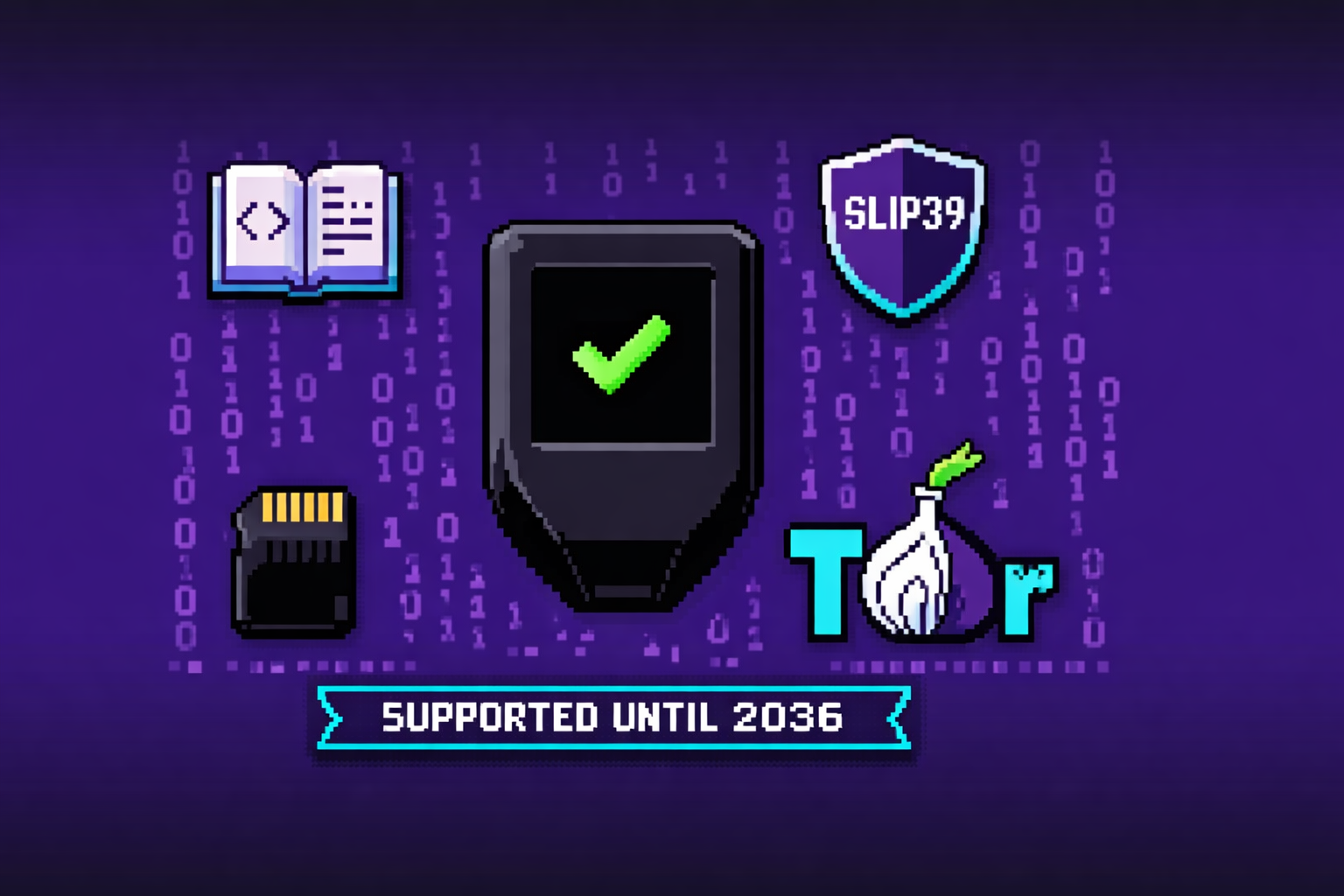
Yet here’s the surprising truth: Trezor has committed to supporting the Model T with critical security updates until at least 2036. Your funds aren’t going anywhere. The device isn’t obsolete. It’s simply… complete.
In this comprehensive Trezor Model T review, we’ll examine the Model T’s place in 2026: its unmatched open-source philosophy, the Shamir Backup advantage, how it compares to the Safe 5, and, most importantly, whether you should buy remaining stock or look elsewhere.
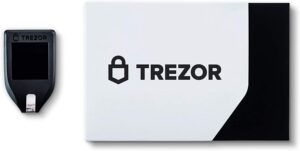
Our Verdict: Trezor Model T at a Glance
| Aspect | Rating | Notes |
|---|---|---|
| Overall | ★★★★½ | Still excellent for open-source advocates, despite discontinued status |
| Security | ★★★★ | Open-source transparency; no secure element (philosophical choice) |
| Coin Support | ★★★★½ | 1,000+ coins and tokens |
| User Experience | ★★★★★ | Color touchscreen remains intuitive and responsive |
| Open Source | ★★★★★ | Fully auditable code – Trezor’s core differentiator |
| Mobile Support | ★★★ | iOS app view-only; no Bluetooth |
| Value (2026) | ★★★ | Discontinued; only buy from authorized resellers at discount |
Best For: The Trezor Model T is ideal for privacy-focused users who prioritize open-source transparency over wireless convenience. If you want to audit your wallet’s code or require Shamir Backup for multi-signature security, the Model T remains a compelling choice, but only if you can find genuine stock from authorized resellers.
What Is the Trezor Model T?
Historical Context
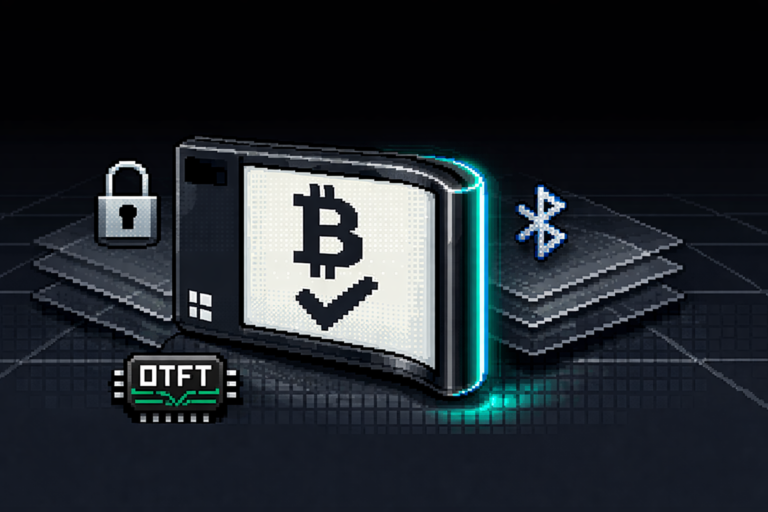
The Trezor Model T, launched in 2018, was the world’s first hardware wallet with a color touchscreen. It represented a massive leap forward in usability, no more squinting at tiny OLEDs or clicking through endless button sequences. For the first time, users could navigate wallets and verify transactions with finger taps.
The Trezor Philosophy
Trezor has always prioritized open-source transparency over proprietary security. Every line of code is public, auditable, and verifiable. This philosophy attracts privacy advocates, security researchers, and anyone who believes “trust but verify” should apply to their wallet.
What’s in the Box
| Item | Description |
|---|---|
| Trezor Model T device | 1.54″ color LCD touchscreen, USB-C |
| USB-C cable | For connection and power |
| Recovery seed cards | For recording seed phrase |
| Magnetic dock | Holds device at viewing angle |
| Getting started guide | Setup instructions |
| Stickers | Brand swag |
The Trezor Ecosystem
| Component | Purpose |
|---|---|
| Trezor Suite | Desktop/mobile app for managing assets |
| Trezor Safe 3/5/7 | Newer models with secure elements |
| Shamir Backup | Advanced seed splitting (SLIP39) |
| Tor integration | Enhanced privacy for transactions |
Trezor Model T Pros and Cons
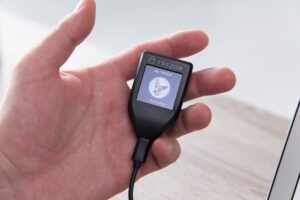
Pros
1. Fully Open Source
Every line of code is public. Security researchers worldwide can audit the firmware, ensuring no backdoors or hidden vulnerabilities. This transparency is Trezor’s greatest strength.
2. Color Touchscreen Interface
The 1.54″ color LCD makes transaction verification genuinely pleasant. You see addresses clearly, navigate menus intuitively, and confirm with confidence. No other wallet in this price range offers a comparable touch experience.
3. Shamir Backup (SLIP39)
Split your seed phrase into multiple shares. Require 2-of-3 or 3-of-5 to recover. This protects against single-point failure – theft, fire, or loss of one backup doesn’t doom your funds.
4. MicroSD Card Slot
Unique to Trezor among major wallets. Use it for encrypted backups or future feature expansion. While not heavily used today, it’s a forward-thinking inclusion.
5. On-Device Passphrase Entry
Enter passphrases directly on the touchscreen, not on your computer. This prevents keyloggers from capturing your 25th word – a critical security feature that cheaper models lack.
6. Tor Integration
Route Trezor Suite traffic through Tor for enhanced privacy. Your IP address and transaction patterns remain hidden.
7. Long Support Commitment
Critical security updates guaranteed until at least 2036. New coin support continues until at least 2031.
Cons
1. Discontinued Status (2026)
Trezor no longer manufactures the Model T. New units are limited to authorized reseller stock. This introduces supply risk and potential for counterfeit devices if not purchased carefully.
2. No Secure Element
Unlike the Safe series, the Model T lacks an EAL-certified secure element chip. Trezor’s philosophy prioritizes open-source transparency over proprietary hardware, but this means slightly less physical attack resistance.
3. No Bluetooth
Desktop only – no wireless mobile connectivity. iOS users are limited to view-only mode via Trezor Suite.
4. Bulky Design
At 32g and credit card size, it’s portable but larger than Ledger Nano X. Some users find it clunky.
5. Limited App Storage
Fewer simultaneous apps than Ledger (though sufficient for most users). Heavy multi-chain users may need to install and uninstall.
6. Coin Support Variations
Some assets require third-party wallets (like Monero). Always verify native vs third-party support before buying.
Technical Specifications
Complete Specs Table
| Specification | Detail |
|---|---|
| Screen | 1.54″ color LCD touchscreen (240×240 pixels) |
| Dimensions | 2.4″ × 1.3″ × 0.4″ (approx) |
| Weight | 32 grams |
| Connectivity | USB-C (USB 2.0 compliant) |
| Storage | MicroSD card slot |
| Processor | ARM Cortex-M4 |
| Security | No secure element; open-source firmware |
| Backup Options | 12-, 20-, 24-word seed; Shamir Backup (SLIP39) |
| Supported Assets | 1,000+ coins and tokens |
| Compatibility | Windows, macOS, Linux, Android (USB), iOS (view-only) |
| Certifications | CE, RoHS, X-ray safe |
| Colors | Black (standard) |
What the Specs Mean for You
| Spec | Real-World Impact |
|---|---|
| Color touchscreen | Best-in-class transaction verification, no guessing |
| MicroSD slot | Future-proofing; encrypted backup option |
| No secure element | Philosophical trade-off: transparency vs proprietary hardware |
| USB-C | Modern connector, works with current devices |
The 2026 Discontinuation: What It Actually Means
The Announcement
On January 8, 2026, Trezor officially ended sales of both Model One and Model T through its e-shop. After 12 years for Model One and 7 years for Model T, the devices that defined hardware wallets entered “legacy” status.
Why Trezor Made This Move
Trezor’s statement explains:
“Twelve years ago we didn’t have the experience and the tools to build the wallets that we do today, and we believe that our users deserve the best we can provide. New innovations in the hardware wallet world like secure elements and mobile access quickly became priorities for users.”
What This DOES Mean
| Reality | Implication |
|---|---|
| No new manufacturing | Remaining stock from authorized resellers only |
| Support continues | Critical security updates until at least 2036 |
| New coin support | Continues until at least 2031 |
| Firmware updates | Regular updates for foreseeable future |
| Reseller caution required | Verify authenticity when buying from third parties |
What This DOES NOT Mean
| Myth | Reality |
|---|---|
| “Model T is obsolete” | Still fully functional with long support runway |
| “Funds are at risk” | No, security updates continue for a decade+ |
| “No new features” | New coin support continues for 5+ years |
| “Must upgrade now” | No urgency whatsoever |
Trezor’s Support Commitment
| Support Type | Duration |
|---|---|
| Critical security updates | Until at least 2036 |
| Basic maintenance | Until at least 2031 |
| New coin support (Model T) | Until at least 2031 |
| Post-quantum considerations | Model T expected to handle software updates |
The Bottom Line
If you already own a Model T, relax. You have at least a decade of support ahead. If you’re considering buying remaining stock, proceed with caution, but know that a properly sourced Model T remains a secure, supported device for years to come.
Security: Open Source vs Secure Element
The Philosophical Divide
This is the core debate in hardware wallets:
- Ledger uses proprietary secure elements (closed source, physically hardened)
- Trezor uses open-source firmware (transparent, auditable) without secure elements
Both approaches have merit.
What a Secure Element Is
A secure element is a tamper-resistant chip – a “vault inside the vault” – designed to store secrets and resist physical attacks. It’s the same technology protecting credit cards and passports.
Which Models Have Secure Elements
| Model | Secure Element? | Philosophy |
|---|---|---|
| Trezor Model T | No | Open-source transparency |
| Trezor Safe 3/5 | Yes (EAL6+) | Modern hybrid approach |
| Ledger Nano X | Yes (EAL5+) | Proprietary security |
Trezor’s Argument Against Secure Elements
Secure elements are proprietary black boxes. You must trust the manufacturer’s claims because you cannot audit the code. Trezor’s open-source approach means thousands of researchers can verify there are no backdoors.
Real-World Threat Modeling
| Attack Scenario | Model T Protection | Secure Element Advantage |
|---|---|---|
| Remote hack | Open-source code audited for vulnerabilities | Neither – both safe remotely |
| Physical theft (casual) | PIN protection; auto-wipe after wrong attempts | Both equally effective |
| Physical theft (targeted with lab equipment) | No secure element means potentially extractable with advanced techniques | Secure element adds significant friction |
Passphrase Entry Security
Model T allows on-device passphrase entry via touchscreen – a critical advantage over cheaper models. Your 25th word never touches your computer, defeating keyloggers.
Trezor’s Official Position
In 2026, both legacy and Safe models remain secure. Trezor explicitly states: “Your current Trezor keeps your funds safe. There’s no need to upgrade unless you want the newest features or hardware.”
Our Take
For 99% of users, the Model T’s open-source security is more than sufficient. The secure element debate matters most to:
- High-net-worth individuals with seven-figure portfolios
- Those facing targeted physical attacks
- Privacy extremists who trust code over corporations
For everyone else, strong PIN discipline and passphrase usage matter far more than the presence or absence of a secure element.
Shamir Backup: The Multi-Share Advantage
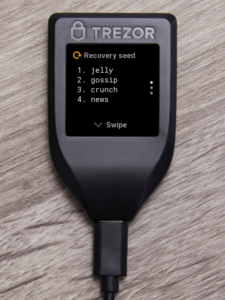
What Is Shamir Backup?
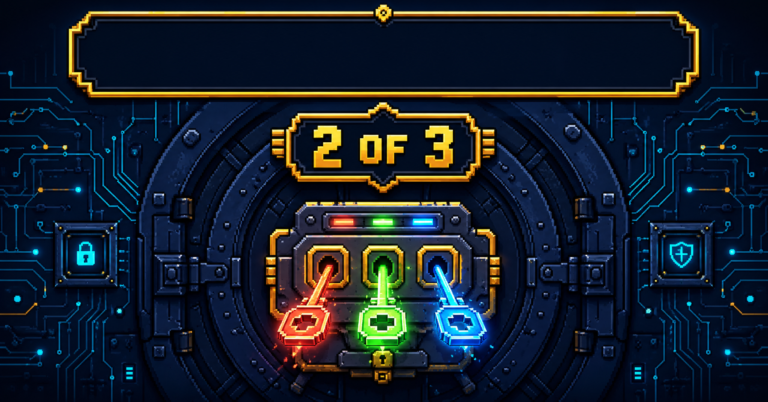
Shamir Backup (SLIP39) splits your recovery seed into multiple shares. You define how many shares are needed to reconstruct the seed. For example: 2-of-3 means any two shares recover your wallet; one share alone is useless.
Why This Matters
| Risk | Standard Seed (Single) | Shamir Backup |
|---|---|---|
| Theft of backup | Funds compromised | One share alone worthless |
| Fire destroys backup | All funds lost | Other shares survive |
| You lose one share | All funds lost | Recover with remaining shares |
| Heir needs access | Single point of failure | Distribute shares to trusted parties |
Shamir Configuration Options
| Setup | Use Case |
|---|---|
| 2-of-3 | Most common – store shares in three locations, need any two |
| 3-of-5 | Higher security – distribute to five trusted people |
| 1-of-1 | Same as standard seed (pointless) |
| 2-of-2 | Both shares required – risky if one lost |
How to Implement on Model T
- During setup, select “Shamir Backup” instead of standard seed
- Choose threshold (e.g., 2) and total shares (e.g., 3)
- Device generates each share sequentially
- Record each share on separate backup cards
- Store shares in different secure locations
- Recovery requires entering threshold number of shares
Shamir vs Standard Seed
| Feature | Standard Seed | Shamir Backup |
|---|---|---|
| Complexity | Simple | More complex setup |
| Recovery | One piece of paper | Multiple shares needed |
| Single point failure | Yes, lose seed = lose funds | No, redundancy built-in |
| Theft resistance | Poor, one theft drains wallet | Excellent, one share worthless |
| Supported Models | All Trezor | Model T, Safe 3, Safe 5 |
PRO TIP: Shamir is advanced. For most users, standard 24-word seed with multiple physical copies is sufficient. Consider Shamir only if you’re comfortable with the complexity or have very large holdings.
Touchscreen Experience and Usability
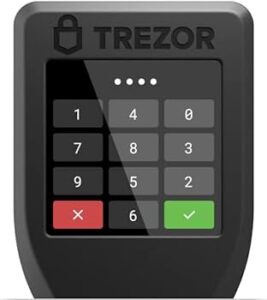
The Touchscreen Advantage
The Model T’s 1.54″ color LCD touchscreen remains one of the best interfaces in hardware wallets. Every interaction, entering PIN, verifying addresses, confirming transactions, happens directly on the device.
Daily Use Experience
| Task | Experience |
|---|---|
| Entering PIN | Tap digits on screen; random layout prevents shoulder surfing |
| Verifying addresses | Full address visible on bright color screen |
| Navigating menus | Intuitive swipe and tap; no button clicking |
| Recovery | Enter seed words via on-screen keyboard (slower but secure) |
Competitor Comparison
| Wallet | Interface | Daily Friction |
|---|---|---|
| Trezor Model T | Color touchscreen | Minimal, most intuitive |
| Ledger Nano X | Two-button + OLED | More clicks, but faster once learned |
| Safe 5 | Color touchscreen + haptic | Same as Model T, plus vibration feedback |
The Learning Curve
First-time users may find the touchscreen slower than buttons initially, especially during recovery (typing 24 words on a small screen takes patience). But for daily transactions, the ability to verify clearly and tap confirm is unmatched.
Durability Notes
The screen is scratch-resistant but not indestructible. Trezor includes a magnetic dock for desktop use, and the device fits in most pockets. Avoid keys in the same pocket.
Trezor Suite: Desktop and Mobile
The Companion App
Trezor Suite is the desktop and mobile application for managing your Model T. It handles everything: portfolio tracking, buying/selling, staking, and firmware updates.
Platform Availability
| Platform | Support | Features |
|---|---|---|
| Windows | Full | Complete functionality |
| macOS | Full | Complete functionality |
| Linux | Full | Complete functionality |
| Android | Full | USB connection support |
| iOS | Limited | View-only mode (no Bluetooth) |
Key Features in Trezor Suite
| Feature | Description |
|---|---|
| Portfolio Dashboard | See all assets in one view |
| Buy/Sell/Swap | Integrated with partner exchanges |
| Staking | Earn rewards on ETH, SOL, ADA |
| Coin Control | Manually select UTXOs for privacy |
| Tor Integration | Route traffic through Tor network |
| Exchange Integration | Connect to third-party services |
Third-Party Wallet Support
Model T integrates with dozens of third-party wallets for assets not fully supported in Suite:
| Wallet Type | Examples |
|---|---|
| Ethereum | MetaMask, Rabby, Frame |
| Solana | Phantom, Solflare |
| Multi-chain | Exodus, OKX Wallet |
| Bitcoin advanced | Sparrow, Specter |
iOS Limitation
The iOS app is view-only. You can check balances and monitor portfolio, but cannot approve transactions. Android users get full USB support, but no wireless. If mobile trading is essential, consider Ledger Nano X instead.
Supported Coins: 1,000+ Assets
Asset Support Overview
Trezor Model T supports over 1,000 cryptocurrencies and tokens, including all ERC-20 tokens and EVM-compatible networks.
Major Categories
| Category | Examples |
|---|---|
| Blue Chip | Bitcoin (BTC), Ethereum (ETH), Solana (SOL), XRP, Cardano (ADA) |
| Privacy Coins | Monero (XMR) via third-party |
| Layer 1 | Avalanche (AVAX), Polkadot (DOT), Near (NEAR) |
| Layer 2 | Polygon (MATIC), Arbitrum (ARB), Optimism (OP) |
| DeFi | Uniswap (UNI), Aave (AAVE), Chainlink (LINK) |
| Meme | Dogecoin (DOGE), Shiba Inu (SHIB) |
Model T vs Model One Differences
| Asset | Model T Support | Model One Support |
|---|---|---|
| XRP | Yes | No |
| SOL | Yes | No |
| ADA | Yes | No |
| XMR | Yes (third-party) | No |
Important Notes on Support
Not all supported coins are fully native in Trezor Suite. Some require third-party wallet connections. Always verify:
- Suite-native: Full integration, manage directly
- Third-party required: Works but needs additional software
- Not supported: Check before buying
Discontinued Coin Support
As of February 2026, Trezor Suite discontinued support for several coins: Dash, Bitcoin Gold, DigiByte, Namecoin, and Vertcoin. These assets remain accessible via third-party wallets, but native Suite support is gone.
Custom Tokens
Add any ERC-20 or BEP-20 token manually via Trezor Suite. The device itself stores keys, so token support is effectively unlimited.
Account Limit
Trezor wallets limit you to 10 accounts per cryptocurrency. Active traders may find this restrictive.
Trezor Model T vs Safe 5
The Successor Comparison
The Safe 5 ($169) is Trezor’s current flagship, positioned as the natural successor to Model T. Here’s how they compare.
Detailed Comparison Table
| Feature | Trezor Model T (Legacy) | Trezor Safe 5 (Current) |
|---|---|---|
| Price | ~$129 (reseller) | $169 (official) |
| Screen | 1.54″ color touchscreen | 1.54″ color touchscreen (same) |
| Secure Element | No | Yes (EAL6+ certified) |
| Haptic Feedback | No | Yes (vibrates on confirm) |
| Glass Screen | Standard | Scratch-resistant all-glass |
| MicroSD Slot | Yes | Yes |
| Shamir Backup | Yes | Yes |
| Passphrase Entry | On-device | On-device |
| Mobile Support | USB only | USB only |
| Bitcoin-only option | No | Yes (available) |
| Status | Discontinued | Current flagship |
When to Choose Model T (if you can find it)
| Scenario | Why Model T Might Win |
|---|---|
| Budget constraint | Often discounted below Safe 5 price |
| You distrust secure elements | Open-source purists prefer no proprietary chips |
| You found genuine reseller stock | If price is right, same core functionality |
When to Choose Safe 5
| Scenario | Why Safe 5 Wins |
|---|---|
| You want latest hardware | Secure element, better durability |
| Long-term investment | Newer device with longer runway |
| You prefer haptic feedback | Vibration confirmation adds usability |
| Bitcoin-only preference | Dedicated Bitcoin firmware option |
| Warranty concerns | Official new device vs legacy reseller stock |
The Verdict
If you already own Model T, there’s zero urgency to upgrade. If you’re buying new and can find authentic Model T stock at a significant discount ($100 or less), it remains a solid choice. But for most buyers in 2026, the Safe 5 is the smarter purchase – newer hardware, secure element, and full warranty.
Trezor Model T vs Ledger Nano X
The Philosophical Rivals
Trezor Model T and Ledger Nano X represent two different philosophies: open-source transparency vs proprietary security, touchscreen convenience vs Bluetooth mobility.
Detailed Comparison
| Feature | Trezor Model T | Ledger Nano X |
|---|---|---|
| Price | ~$129 | $149 |
| Screen | 1.54″ color touchscreen | 128×64 OLED (monochrome, smaller) |
| Connectivity | USB-C only | USB-C + Bluetooth |
| Mobile Support | Android USB; iOS view-only | Full iOS/Android via Bluetooth |
| Secure Element | No (open source) | Yes (EAL5+) |
| Open Source | Fully open | Partially closed |
| App Storage | Limited (install/uninstall) | 100+ apps simultaneously |
| Coin Support | 1,000+ | 5,500+ |
| NFT Support | Third-party wallets | Native in Ledger Live |
| Battery | No (USB powered) | 120 mAh (8 hours) |
| Shamir Backup | Yes | No |
| MicroSD Slot | Yes | No |
When to Choose Trezor Model T
| Priority | Why Trezor Wins |
|---|---|
| Open-source transparency | Auditable code, no trust required |
| Privacy focus | Tor integration, coin control |
| Shamir Backup needed | Multi-share seed protection |
| Touchscreen preference | Better verification experience |
| You distrust secure elements | Philosophical objection to proprietary chips |
When to Choose Ledger Nano X
| Priority | Why Ledger Wins |
|---|---|
| Mobile trading | Bluetooth + full iOS support |
| Maximum coin support | 5,500+ assets |
| NFT management | Native Ledger Live support |
| App storage | 100+ simultaneous apps |
| Battery convenience | Use anywhere without USB tethering |
The Bottom Line
This isn’t about which is “better”, it’s about which philosophy aligns with your priorities. Privacy purists choose Trezor. Mobile multitaskers choose Ledger. Both secure your crypto effectively.
Trezor Model T vs BitBox02
The Swiss Contender
BitBox02 ($139) is another open-source option from Swiss company Shift Crypto. Here’s how it compares.
Comparison
| Feature | Trezor Model T | BitBox02 |
|---|---|---|
| Screen | 1.54″ color touchscreen | Small OLED |
| Interface | Touchscreen | Touch-sensitive buttons |
| Secure Element | No | Yes (EAL6+) |
| Open Source | Fully | Fully |
| Mobile Support | USB only | USB only |
| Coin Support | 1,000+ | ~1,500+ |
| Unique Feature | Shamir Backup | MicroSD card backup |
| Price | ~$129 | $139 |
When to Choose BitBox02
- You want open-source AND secure element
- Swiss privacy/neutrality appeals to you
- You prefer tactile buttons over touchscreen
- You trust Shift Crypto’s minimalist approach
When to Choose Trezor Model T
- Touchscreen interface is priority
- Shamir Backup needed
- Larger community and third-party support
- You want microSD slot for future expansion
How to Set Up Trezor Model T
Step-by-Step Guide
Step 1: Verify Authenticity
- Purchase only from official Trezor resellers
- Check packaging seals are intact
- Device should show “Welcome” screen, not pre-initialized
Step 2: Download Trezor Suite
- Visit trezor.io/suite (official site only)
- Download desktop app for your OS
- Install and open
Step 3: Connect Device
- Use USB-C cable to connect Model T
- Device screen will show connection status
- Suite will detect and prompt setup
Step 4: Install Firmware
- Suite will check for latest firmware
- Confirm installation on device
- Wait for update to complete
Step 5: Create New Wallet
- Choose “Create new wallet”
- Select backup type:
- Standard backup (12-24 words) – simpler
- Shamir Backup (multi-share) – advanced
- Device generates seed phrase
Step 6: Write Down Recovery Seed
- Device displays words one by one
- Use provided backup cards
- Write clearly, double-check each word
- Never photograph or store digitally
Step 7: Confirm Recovery Seed
- Device asks for random words
- Enter using touchscreen keyboard
- Confirms you wrote correctly
Step 8: Set PIN
- Choose 4-9 digit PIN
- Enter on device (random keypad layout)
- Confirm PIN
Step 9: Add Accounts
- In Trezor Suite, go to “Accounts”
- Add assets you hold (BTC, ETH, etc.)
- Each generates receiving addresses
Step 10: Test with Small Amount
- Send $5-10 from exchange to new address
- Verify it arrives in Suite
- This confirms everything works
CRITICAL: Never buy a “pre-initialized” device. If someone else generated the seed, they control your funds. Always generate your own seed on device.
Who Should Buy the Trezor Model T in 2026?
The Model T Is Ideal For
| User Type | Why Model T Fits |
|---|---|
| Open-source advocates | Fully auditable code – no trust required |
| Privacy-focused users | Tor integration, coin control |
| Shamir Backup seekers | Multi-share seed protection |
| Touchscreen enthusiasts | Best verification experience in legacy models |
| Existing Trezor owners | No need to upgrade; support continues |
| Budget-conscious (if discounted) | Reseller pricing may undercut Safe 5 |
The Model T May NOT Be Ideal For
| User Type | Better Alternative |
|---|---|
| Mobile-first traders | Ledger Nano X (Bluetooth) |
| New buyers wanting latest | Trezor Safe 5 (secure element, warranty) |
| iOS users needing mobile signing | Ledger Nano X |
| Those wanting maximum coin count | Ledger (5,500+) |
| NFT collectors | Ledger (native support) |
| Anyone buying from unauthorized sellers | Risk of counterfeit—buy Safe 5 instead |
The Bottom Line
If you already own a Model T, keep it. You’re supported for a decade. If you’re buying new and can find authentic stock at a discount ($100 or less), the Model T remains a fantastic open-source wallet. But for most new buyers in 2026, the Safe 5 is the safer recommendation – current hardware, secure element, and full manufacturer support.
Our Final Verdict
Summary Assessment
The Trezor Model T occupies a unique position in 2026: a discontinued device that remains fully supported, an open-source flagship now succeeded by secure-element models, a touchscreen pioneer that still offers best-in-class verification. It’s simultaneously obsolete and perfectly viable – depending on your perspective.
Scorecard
| Category | Score | Comments |
|---|---|---|
| Security (open source) | 9/10 | Fully auditable; no secure element |
| Coin Support | 9/10 | 1,000+ assets |
| User Experience | 10/10 | Color touchscreen remains excellent |
| Mobile Support | 6/10 | iOS view-only; no Bluetooth |
| Value (2026) | 7/10 | Great if discounted; Safe 5 better at full price |
| Future-proofing | 8/10 | Supported until 2036, but hardware aging |
Who Should Buy
- Open-source purists who find discounted authentic stock
- Privacy-focused users wanting Tor integration
- Shamir Backup enthusiasts
- Existing owners (no upgrade needed)
Who Should Choose Safe 5 Instead
- Most new buyers wanting warranty and secure element
- Those uneasy about discontinued products
- Anyone unable to verify reseller authenticity
Ready to Secure Your Crypto?
👉 Check Trezor Safe 5 (Current Flagship)
👉 Find Authorized Trezor Resellers
👉 Read our Best Hardware Wallets 2026 Guide
When not reviewing hardware wallets, they’re probably explaining to family why open-source firmware matters.
Disclosure: This article contains affiliate links. If you purchase a Trezor device through these links, we may earn a commission at no extra cost to you. We only recommend products we personally use and trust. This review is based on independent testing and real-world experience.
This review was last updated for the 2026 edition. Hardware wallet features and firmware change frequently. Check Trezor’s official website for current information.
Frequently Asked Questions
Does Trezor Model T have a secure element?
No. Trezor's philosophy prioritizes open-source transparency over proprietary secure elements. The Safe series (Safe 3/5/7) includes secure elements; the Model T does not.
What coins does Trezor Model T support?
Over 1,000 cryptocurrencies, including Bitcoin, Ethereum, Solana, XRP, Cardano, and all ERC-20 tokens. Note that Model One lacks XRP/SOL/ADA support, but Model T includes them.
Is Trezor Model T better than Ledger Nano X?
It depends on your priorities. Trezor wins on open-source transparency and touchscreen experience. Ledger wins on mobile connectivity (Bluetooth) and total coin count (5,500+).
How do I use Shamir Backup on Trezor?
During initial setup, select "Shamir Backup" instead of standard seed. Choose threshold (e.g., 2) and total shares (e.g., 3). Record each share separately. Recovery requires entering threshold number of shares.
Can Trezor Model T be hacked?
No hardware wallet has ever been successfully hacked remotely. Physical attacks are theoretically possible with lab equipment, but require access to the device. Strong PIN and passphrase protection mitigate this risk.
Is Trezor Model T worth buying in 2026?
Only if you can find authentic stock from authorized resellers at a discount. For most new buyers, the Trezor Safe 5 is the better choice - current hardware, secure element, and full warranty. Existing owners should not upgrade.
Does Trezor Model T work with iPhone?
Limited support. Trezor Suite iOS app is view-only. You can check balances but cannot approve transactions. Android supports full USB connectivity.
What is the difference between Trezor Model T and Safe 5?
Safe 5 adds an EAL6+ secure element, haptic feedback, scratch-resistant glass, and is Trezor's current flagship. Model T lacks secure element but has same touchscreen and Shamir Backup. Model T is discontinued; Safe 5 is current.
How long will Trezor support Model T?
Critical security updates: until at least 2036. Basic maintenance and new coin support: until at least 2031. After these dates, the device remains functional but won't receive updates.
Can I stake crypto on Trezor Model T?
Yes. Trezor Suite supports staking for Ethereum, Solana, Cardano, and other Proof-of-Stake assets directly from your wallet.
What's the warranty on Trezor Model T?
Since the device is discontinued, warranty depends on your reseller. New-old-stock may carry remaining manufacturer warranty; used units have none. This is another reason to consider Safe 5 for new buyers.
Does Trezor Model T support Monero (XMR)?
Yes, but requires third-party wallet integration. Not natively supported in Trezor Suite.
Can I use Trezor Model T with MetaMask?
Yes. Connect your Trezor to MetaMask for Ethereum and EVM chains. Transactions require confirmation on device.
Is Trezor Model T open source?
Yes, fully. Every line of code is public and auditable. Trezor's core differentiator from competitors.
What happens if Trezor company goes bankrupt?
Your funds are safe. The Model T uses open standards (BIP39). You can recover your funds using any compatible wallet with your seed phrase, even if Trezor disappears.
Does Model T support Bitcoin Lightning?
Lightning support is limited. Check current firmware for Lightning Network app availability.
Can I have multiple hidden wallets on Model T?
Yes. Using different passphrases, you can create virtually unlimited hidden wallets from the same seed.
Is the touchscreen durable for long-term use?
Yes. The screen is rated for millions of touches. Users report years of daily use without issues.
What's the difference between Model T and Model One?
Model T adds color touchscreen, XRP/SOL/ADA support, Shamir Backup, microSD slot, and on-device passphrase entry. Model One is budget-friendly with buttons and fewer coins.
About the Author