

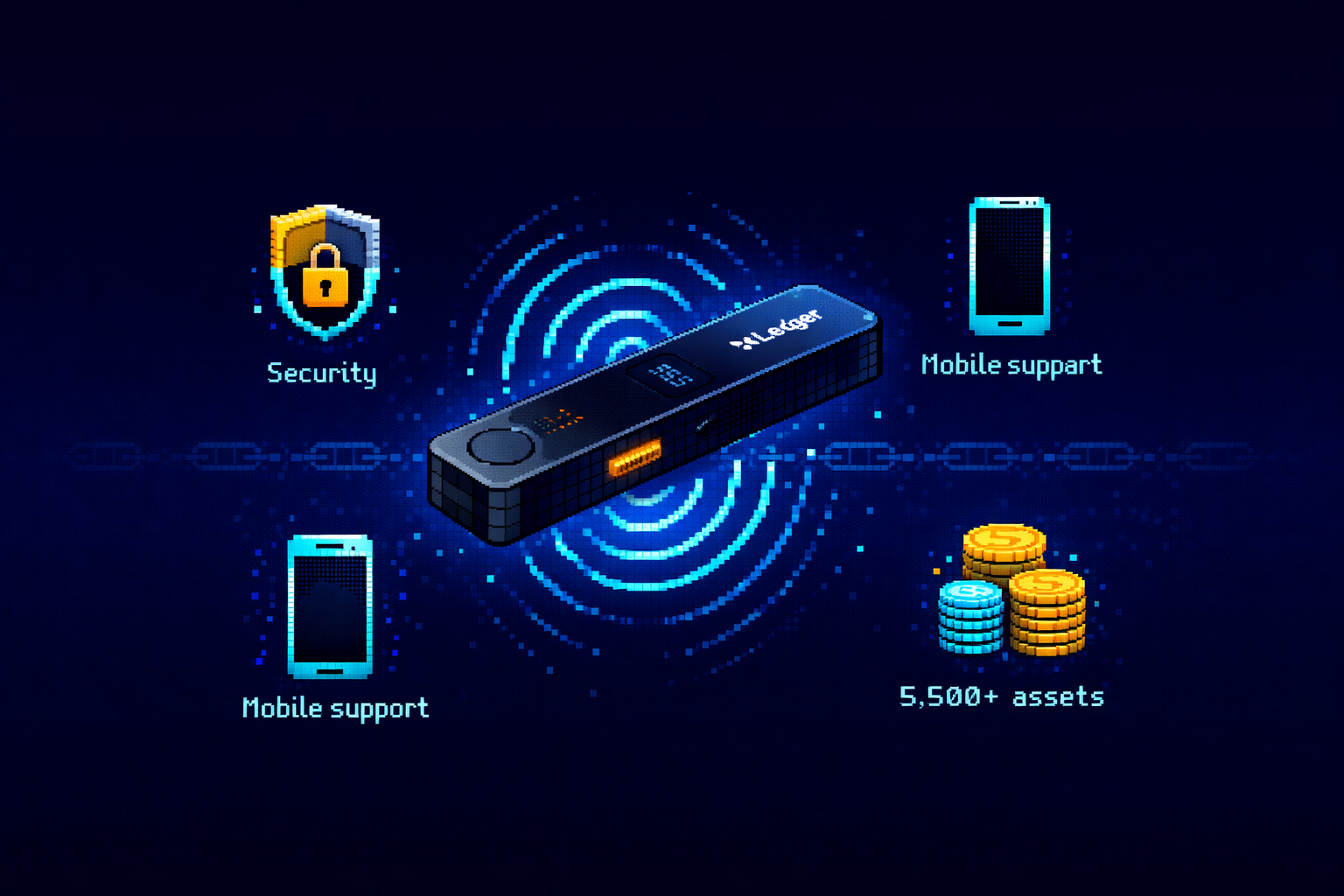
If you’ve spent any time researching crypto security, you’ve seen the Ledger Nano X.
It’s the world’s best-selling hardware wallet – the device millions of people trust to secure billions in cryptocurrency. With its sleek design, Bluetooth connectivity, and support for over 5,500 assets, it’s become the default choice for serious crypto holders.
I’ve been using hardware wallets since 2018, and I’ve owned every Ledger model. The Nano X has been my daily driver for over three years. I’ve taken it on international trips, used it with my phone at coffee shops, and staked multiple assets through Ledger Live. It’s survived drops, been through airport security, and never once let me down.
But Ledger’s journey hasn’t been without turbulence. The 2023 Ledger Recover controversy shook user trust, and questions about Bluetooth security persist. In 2026, with newer competitors like Trezor Safe 5 and BitBox02 Nova offering compelling alternatives, does the Nano X still deserve its crown?
In this comprehensive Ledger Nano X review, we’ll examine everything: real-world Bluetooth security, app storage capacity, battery life, the Ledger Live ecosystem, and, most importantly, whether the $149 price tag delivers value for your specific needs.
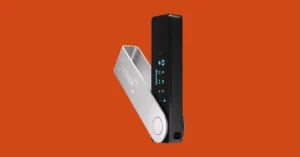
Our Verdict: Ledger Nano X at a Glance
| Aspect | Rating | Notes |
|---|---|---|
| Overall | ★★★★★ | Best for mobile users and multi-asset portfolios |
| Security | ★★★★½ | CC EAL5+ secure element, Bluetooth skepticism addressed |
| Coin Support | ★★★★★ | 5,500+ assets—industry leader |
| Mobile Experience | ★★★★★ | Full iOS/Android support via Ledger Live |
| App Storage | ★★★★★ | 100+ apps simultaneously |
| Price | ★★★★ | $149—premium but justified for active users |
| Open Source | ★★ | Firmware partially closed-source |
Best For: The Ledger Nano X is ideal for active crypto users who manage multiple assets, use mobile devices for transactions, and want the largest ecosystem of supported coins and dApps. If you trade frequently, hold diverse cryptocurrencies, or interact with DeFi/NFTs, the convenience justifies the premium.
What Is the Ledger Nano X?
Product Overview
The Ledger Nano X is Ledger’s flagship hardware wallet, launched in 2019 and continuously updated through firmware improvements. It’s designed as a premium cold storage solution for users who need both maximum security and modern convenience.
Unlike the budget-friendly Nano S Plus (USB-only), the Nano X adds Bluetooth connectivity, a larger battery, and expanded app storage, transforming it from a static storage device into a mobile-enabled wallet for active crypto management.
What’s in the Box
| Item | Description |
|---|---|
| Ledger Nano X device | 72mm × 18.6mm × 11.75mm, 32g |
| USB-C cable | For charging and wired connection |
| Recovery phrase sheet | For writing down your 24-word backup |
| Keychain strap | For portability |
| Lanyard | Wearable option |
The Ledger Ecosystem
The Nano X doesn’t exist in isolation, it’s part of Ledger’s security ecosystem.
| Component | Purpose |
|---|---|
| Ledger Live | Desktop/mobile app for managing assets, staking, buying crypto |
| Ledger Stax | Premium touchscreen model ($399, biometric alternative) |
| Ledger Nano S Plus | Budget-friendly USB-only version |
| Ledger Recover | Optional ID-based seed backup service (controversial) |
2026 Market Position
Despite newer entrants, the Nano X remains the market leader with over 6 million units sold. Its combination of security, coin support, and user experience keeps it at the top of most hardware wallet comparisons.
Ledger Nano X Pros and Cons
Pros
1. Massive Asset Support
Supports 5,500+ cryptocurrencies and tokens – more than any competitor except some software wallets. This includes Bitcoin, Ethereum, Solana, all major altcoins, and thousands of ERC-20/BEP-20 tokens.
2. Full Mobile Support
Bluetooth connectivity enables true mobile management via Ledger Live on iOS and Android. You can check balances, send transactions, and stake assets, all from your phone.
3. 100+ App Capacity
Install up to 100 different blockchain apps simultaneously. This means you can manage Bitcoin, Ethereum, Solana, and dozens of other chains without constantly installing and uninstalling.
4. Certified Secure Element
Uses CC EAL5+ certified secure chip (ST31H320), the same technology protecting bank cards and passports. Private keys never leave this isolated environment.
5. Excellent Battery Life
120 mAh battery provides up to 8 hours of continuous use or weeks in standby. USB-C charging is fast and convenient.
6. NFT Support
Native support for Ethereum and Polygon NFTs via Ledger Live and compatibility with MetaMask and other third-party wallets.
7. Regular Firmware Updates
Ledger continuously adds new coins and features through firmware updates. Your device improves over time.
Cons
1. Higher Price
At $149, it’s $70 more than the Nano S Plus ($79). Casual users may not need the extra features.
2. Bluetooth Security Concerns
Some security purists distrust any wireless connection, despite Ledger’s encryption and isolation of the secure element from Bluetooth.
3. Partially Closed Source
Firmware is not fully open-source, which bothers transparency advocates. Trezor offers a fully open-source alternative.
4. Ledger Recover Backlash
The 2023 announcement of an optional seed backup service damaged trust, even though it’s opt-in and not enabled by default.
5. Slightly Bulkier Than Nano S
At 32g and credit card size, it’s still portable but larger than the Nano S Plus.
6. No Biometric Authentication
Unlike D’CENT ($139) or Ledger Stax ($399), the Nano X lacks fingerprint security.
Technical Specifications
Complete Specs Table
| Specification | Detail |
|---|---|
| Dimensions | 72mm × 18.6mm × 11.75mm |
| Weight | 32 grams |
| Screen | 128×64 pixel OLED, 1.09″ diagonal |
| Connectivity | USB-C, Bluetooth Low Energy (BLE) |
| Battery | 120 mAh lithium-polymer, up to 8 hours continuous use |
| Secure Chip | ST31H320 (CC EAL5+ certified) |
| Operating System | BOLOS (Blockchain Open Ledger Operating System) |
| App Capacity | Up to 100 simultaneous applications |
| Supported Assets | 5,500+ cryptocurrencies and tokens |
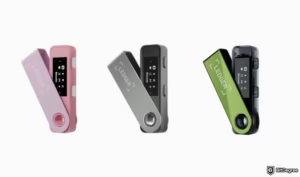
| Colors | Black Onyx, Orange, Cosmic Purple |
| Price | $149 / €99.99 (regional pricing varies) |
| Warranty | 2 years |
What the Specs Mean for You
| Spec | Real-World Impact |
|---|---|
| 128×64 OLED | Clear transaction verification—critical for security |
| 120 mAh battery | Use for days without charging; no constant USB tethering |
| 100 app capacity | Manage Bitcoin, Ethereum, Solana, and 97+ others simultaneously |
| EAL5+ secure chip | Military-grade protection—same as government IDs |
Security: Is Bluetooth Safe?
The #1 Question About Ledger Nano X
Let’s address the elephant in the room: Is Bluetooth safe for a device holding your life savings?
How Ledger Secures Bluetooth
The Nano X uses Bluetooth Low Energy (BLE) with multiple security layers:
| Security Layer | How It Works |
|---|---|
| Encrypted Pairing | Device pairing requires physical confirmation on the wallet |
| Secure Element Isolation | Bluetooth chip is SEPARATE from the secure element storing private keys |
| Transaction Signing Offline | Keys never leave secure chip, Bluetooth only transmits signed transactions |
| BOLOS Separation | Operating system isolates communication from key storage |
The Critical Point
Even if someone hacked the Bluetooth connection (extremely difficult), they’d only see already-signed transactions, not your private keys. The keys themselves never touch the Bluetooth chip.
The secure element communicates only with the device’s internal processor, not directly with Bluetooth. This hardware isolation is the key to understanding why Bluetooth doesn’t compromise security.
Expert Consensus
Security researchers generally agree: Bluetooth on the Nano X is safe because of the hardware isolation. The secure element that holds your keys operates independently of the wireless chip.
When Bluetooth Might Be a Concern
| Scenario | Risk Level | Mitigation |
|---|---|---|
| Using in public with Bluetooth on | Low | Bluetooth range is ~30 feet; attacker would need proximity |
| Malware on connected phone | Low | Malware can’t extract keys; could manipulate addresses (verify on device screen) |
| Paranoid about wireless | Minimal | Use USB-C mode only (disable Bluetooth) |
The USB-Only Option
If you’re truly uncomfortable with wireless, you can use the Nano X exclusively via USB-C. Bluetooth is optional – enable it only when you need mobile convenience.
SECURITY REALITY: The Nano X’s Bluetooth is designed with defense in depth. No wallet has ever been hacked via Bluetooth, and the secure element isolation makes it theoretically impossible for keys to be extracted wirelessly. If you’re still uncomfortable, the Nano S Plus offers the same security without Bluetooth for $70 less.
The Ledger Recover Controversy (2023)
Addressing the Trust Issue
In 2023, Ledger announced “Ledger Recover” – an optional paid service allowing users to backup their seed phrase with ID verification. The backlash was immediate and intense.
What Ledger Recover Actually Is
| Feature | Detail |
|---|---|
| Purpose | Backup your seed phrase with ID verification (like a safety deposit box) |
| Cost | Paid subscription (varies by region) |
| Opt-in? | YES, completely optional, not enabled by default |
| Technical implementation | Seed phrase encrypted and split into fragments sent to different custodians |
Why Users Were Angry
The controversy stemmed from several issues:
- Perception: Users feared Ledger could extract seeds remotely (technically false, requires physical device approval)
- Philosophy: Self-custody purists opposed any ID-linked backup service
- Communication: Ledger announced poorly, fueling conspiracy theories
- Trust: The announcement contradicted the “your keys, your coins” ethos
Ledger’s Response
Ledger responded by:
- Open-sourcing more code
- Delaying Recover launch to address concerns
- Publishing technical explanations of how keys remain protected
- Committing to transparency about future firmware changes
What This Means for You in 2026
| Question | Answer |
|---|---|
| Is Recover enabled on my Nano X? | No, it’s opt-in and requires explicit setup |
| Can Ledger access my funds? | No. Even with Recover, your seed is encrypted and split; no single party has access |
| Should I trust Ledger now? | The controversy was overblown but understandable. Ledger has since improved transparency. |
Our Take
The Recover controversy damaged trust, but the technical reality is that your funds remain secure. The service is optional, and Ledger cannot access your keys without your device.
If you’re a self-custody purist, stick with open-source alternatives like Trezor. For most users, Ledger remains trustworthy, and the controversy, while real, has been addressed with improved transparency and optional implementation.
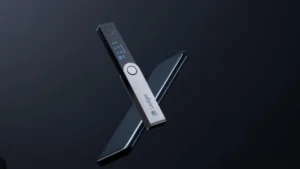
App Storage: Why 100+ Apps Matters
The App Storage Problem
With the budget Nano S Plus, you can only install 3-5 apps simultaneously. If you hold Bitcoin, Ethereum, and Solana, plus a few ERC-20 tokens, you’re constantly installing and uninstalling.
Nano X Solution
The Nano X stores up to 100 apps simultaneously. This means:
| Use Case | Nano S Plus Experience | Nano X Experience |
|---|---|---|
| Multi-chain holder | Install BTC → install ETH → uninstall BTC → install SOL → repeat | Install all 3+ permanently |
| DeFi user | Constant app switching frustration | All apps ready instantly |
| NFT collector | Limited space for multiple chains | Store Ethereum + Polygon + Solana apps together |
Why This Matters for Active Users
If you’re a long-term holder checking balances monthly, 3-5 apps might suffice. But if you trade, use DeFi, or collect NFTs across multiple chains, the Nano X’s storage capacity transforms the experience from frustrating to seamless.
Real-World Example
I hold BTC, ETH, SOL, DOT, and frequently interact with Uniswap (Ethereum) and Jupiter (Solana). With Nano S Plus, I’d install and uninstall daily. With Nano X, all apps stay installed permanently. This convenience alone justifies the price premium for active users.
Battery Life and USB-C Charging
Battery Specifications
The Nano X contains a 120 mAh lithium-polymer battery providing:
| Usage Pattern | Battery Life |
|---|---|
| Continuous use | Up to 8 hours |
| Standby (idle) | Weeks to months |
| Daily 10-minute use | ~2 weeks between charges |
USB-C Advantages
Unlike the micro-USB on older models, the Nano X uses USB-C, the modern standard for phones and laptops. Benefits include:
- Faster charging (full charge in ~2 hours)
- Reversible connector (no fumbling)
- Widely available cables
Battery Safety Note
The battery powers only the screen, processor, and Bluetooth. The secure element storing your keys operates independently and doesn’t rely on battery power. Even if the battery dies completely, your keys remain safe, you just need to charge to use the device.
Charging Tips
| Situation | Recommendation |
|---|---|
| Daily user | Charge weekly like your phone |
| Occasional user | Charge monthly; battery holds charge for months |
| Long-term storage | Charge to 50% and store in cool, dry place |
Supported Assets: 5,500+ Coins and NFTs
Asset Support Overview
The Nano X supports over 5,500 cryptocurrencies and tokens, more than any competing hardware wallet.
Major Categories
| Category | Examples |
|---|---|
| Blue Chip | Bitcoin (BTC), Ethereum (ETH), Solana (SOL), XRP, Cardano (ADA), Dogecoin (DOGE) |
| Layer 1 | Avalanche (AVAX), Polkadot (DOT), Near (NEAR), Fantom (FTM) |
| Layer 2 | Polygon (MATIC), Arbitrum (ARB), Optimism (OP), Base |
| DeFi | Uniswap (UNI), Aave (AAVE), Chainlink (LINK), Lido (LDO) |
| Meme | Shiba Inu (SHIB), Pepe (PEPE), Dogwifhat (WIF) |
| Privacy | Limited (Monero not natively supported) |
| NFTs | Ethereum, Polygon, Solana NFTs via Ledger Live and third-party wallets |
How Support Works
Ledger adds new assets through:
- Native apps: Direct support via Ledger Live
- Third-party wallets: Connect to MetaMask, Rabby, Phantom, etc.
- Custom tokens: Add any ERC-20/BEP-20 token manually
Competitor Comparison
| Wallet | Supported Assets |
|---|---|
| Ledger Nano X | 5,500+ |
| Trezor Safe 5 | ~9,000+ (including many via third-party) |
| BitBox02 | ~1,500+ |
| SafePal S1 Pro | 30,000+ |
The Bottom Line
For 99% of users, Ledger supports every coin you’ll ever own. If you trade extremely obscure tokens, verify support first, but odds are, Ledger has you covered.
Ledger Live: The Ecosystem Advantage
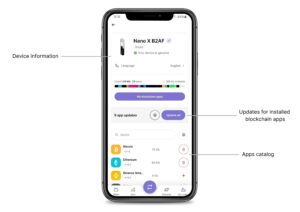
More Than Just a Wallet
Ledger Live is the companion app that transforms the Nano X from a simple storage device into a complete crypto management platform.
What You Can Do in Ledger Live
| Feature | Description |
|---|---|
| Portfolio View | See all your assets in one dashboard |
| Buy Crypto | Purchase crypto directly into your secure wallet (third-party partners) |
| Swap | Exchange crypto without leaving wallet (higher fees than exchanges) |
| Stake | Earn yield on PoS assets (ETH, SOL, DOT, ADA, etc.) |
| NFT Gallery | View your NFTs across multiple chains |
| Web3 Discovery | Browse and connect to dApps |
| Earn | Lend crypto via partners (risky; DYOR) |
Mobile App Experience
The Ledger Live mobile app mirrors desktop functionality. With Bluetooth, you can:
- Check balances on the go
- Approve transactions from your phone
- Stake and earn rewards
- Monitor portfolio performance
Third-Party Integrations
Ledger devices connect to dozens of third-party wallets and dApps:
| Wallet Type | Examples |
|---|---|
| Ethereum | MetaMask, Rabby, Frame |
| Solana | Phantom, Solflare |
| Multi-chain | Zerion, Zapper |
| DeFi | Uniswap, Aave, Compound |
| NFT | OpenSea, Rarible |
The Ecosystem Advantage
Ledger’s ecosystem is its moat. No other hardware wallet integrates with as many services or offers as comprehensive an app. For active crypto users, this convenience is invaluable.
Ledger Nano X vs Nano S Plus
The $70 Question
The Nano S Plus ($79) offers the same security as the Nano X ($149). So why pay more? Let’s compare.
Detailed Comparison
| Feature | Ledger Nano X ($149) | Ledger Nano S Plus ($79) |
|---|---|---|
| Bluetooth | ✅ Yes | ❌ No |
| Mobile Support | Full iOS/Android via Bluetooth | Limited (USB only, requires adapter) |
| App Storage | 100+ apps | 3-5 apps |
| Battery | 120 mAh (8 hours) | No battery (USB powered) |
| Screen | 128×64 OLED (same) | 128×64 OLED (same) |
| Secure Chip | EAL5+ (same) | EAL5+ (same) |
| USB-C | Yes | Yes |
| Colors | 3 options | 5 options |
| Best For | Active users, mobile traders | Beginners, long-term holders |
When the Nano X Is Worth It
| Use Case | Nano X Advantage |
|---|---|
| You check balances on phone daily | Bluetooth convenience |
| You hold 5+ different cryptocurrencies | 100+ app capacity eliminates uninstall/install |
| You travel frequently | Battery + Bluetooth = use anywhere |
| You interact with dApps | Instant access to multiple chains |
When the Nano S Plus Is Enough
| Use Case | Nano S Plus Suffices |
|---|---|
| You hold only 1-3 coins | 3-5 app capacity works |
| You rarely transact | Occasional USB connection fine |
| You primarily use desktop | No need for mobile |
| You’re on tight budget | Save $70 for more crypto |
Our Recommendation
If you’re a casual holder with Bitcoin-only or a few coins, save money with Nano S Plus. If you’re active in crypto – multiple chains, DeFi, NFTs, or want mobile convenience, the Nano X is worth every dollar.
Ledger Nano X vs Trezor Safe 5
The Two Titans
Ledger and Trezor are the Coke and Pepsi of hardware wallets. Here’s how their 2026 flagships compare.
Comparison Table
| Feature | Ledger Nano X ($149) | Trezor Safe 5 ($169) |
|---|---|---|
| Screen | 128×64 OLED | Color touchscreen |
| Bluetooth | Yes | No |
| Mobile Support | Full iOS/Android | Limited iOS, full Android |
| App Storage | 100+ apps | ~10 apps (varies) |
| Secure Element | EAL5+ (closed) | EAL6+ (open) |
| Open Source | Partial | Full |
| Coin Support | 5,500+ | ~9,000+ |
| Unique Features | Ledger Live ecosystem | MicroSD slot, Shamir backup |
Security Philosophy Differences
| Aspect | Ledger Approach | Trezor Approach |
|---|---|---|
| Secure Element | Proprietary (EAL5+) | Open (EAL6+, no NDA) |
| Code Transparency | “Trust us, it’s secure” | “Audit everything” |
| Risk Profile | Better physical security | Better code transparency |
User Experience
| Factor | Winner | Why |
|---|---|---|
| Mobile convenience | Ledger | Bluetooth + full iOS support |
| Desktop experience | Tie | Both have excellent apps |
| Beginner friendly | Ledger | Ledger Live is simpler |
| Advanced features | Trezor | Shamir backup, more customization |
The Bottom Line
Choose Ledger Nano X if you prioritize mobile convenience, massive coin support, and the Ledger Live ecosystem. Choose Trezor Safe 5 if open-source transparency, touchscreen interface, or advanced backup options matter more.
Ledger Nano X vs BitBox02 Nova
The Swiss Contender
BitBox02 Nova ($139) is the latest from Swiss company Shift Crypto. It’s a serious competitor for security-conscious users.
Comparison
| Feature | Ledger Nano X | BitBox02 Nova |
|---|---|---|
| Price | $149 | $139 |
| Bluetooth | Yes | No (offline-only) |
| Mobile Support | Full iOS/Android | iOS/Android (no wireless) |
| App Storage | 100+ apps | Limited |
| Open Source | Partial | Full |
| Secure Element | EAL5+ | EAL6+ |
| Unique Feature | Ecosystem size | Swiss privacy focus |
When to Choose BitBox02 Nova
- You want fully open-source firmware
- You distrust wireless completely
- You value Swiss privacy/neutrality
- You prefer touchpad interface
When to Stick with Ledger
- You need mobile wireless convenience
- You want access to 5,500+ coins
- You use Ledger Live ecosystem
How to Set Up Your Ledger Nano X
Step-by-Step Guide
Step 1: Unbox and Inspect
- Verify packaging is sealed and untampered
- Never buy from third-party sellers (Amazon/eBay risk)
Step 2: Download Ledger Live
- Visit official Ledger.com website only
- Download desktop app or mobile app
- Install and open
Step 3: Initialize Device
- Press both buttons to power on
- Select “Setup as new device”
- Choose PIN (4-8 digits, not 1234)
- Confirm PIN
Step 4: Write Down Recovery Phrase
- Device displays 24 words
- Write on provided paper card
- Double-check each word
- Store securely (safe, NOT digital)
Step 5: Verify Recovery Phrase
- Device asks for random words
- Enter using buttons
- Confirms you wrote correctly
Step 6: Install Apps
- In Ledger Live, go to “Manager”
- Install apps for coins you hold (Bitcoin, Ethereum, etc.)
- Each app takes storage space
Step 7: Add Accounts
- Go to “Accounts” tab
- Add accounts for each crypto
- Receive addresses generated
Step 8: Test with Small Amount
- Send $5-10 from exchange to Nano X
- Verify it arrives
- This confirms setup works
Step 9: Test Recovery (Optional but Recommended)
- Wipe device (reset to factory)
- Restore from seed phrase
- Verify funds accessible
- This proves your backup works
Critical Security Reminders
| Do | Don’t |
|---|---|
| Store seed phrase offline (paper/metal) | Store seed phrase digitally (photo, cloud) |
| Use strong PIN | Share PIN with anyone |
| Verify addresses on device screen | Trust computer display only |
| Buy from official Ledger site | Buy from Amazon/third-party |
Who Should Buy the Ledger Nano X?
The Nano X Is Ideal For
| User Type | Why Nano X Fits |
|---|---|
| Active multi-chain users | 100+ app storage handles all your chains |
| Mobile-first traders | Bluetooth + full iOS/Android support |
| DeFi and NFT enthusiasts | Connect to MetaMask, Phantom, OpenSea |
| Travelers | Battery + Bluetooth = secure on the go |
| Portfolio diversifiers | 5,500+ assets cover everything |
| Those with $5,000+ in crypto | Insurance worth the $149 investment |
The Nano X May NOT Be Ideal For
| User Type | Better Alternative |
|---|---|
| Bitcoin-only holders | Nano S Plus ($79) or Coldcard |
| Open-source purists | Trezor Safe 5 or BitBox02 Nova |
| Budget-conscious | Nano S Plus ($79) |
| Biometric security fans | D’CENT Biometric ($139) or Ledger Stax ($399) |
| Extreme privacy seekers | Coldcard Mk4 (Bitcoin only) |
The Bottom Line
If you’re serious about crypto – holding multiple assets, using DeFi, collecting NFTs, or wanting mobile convenience, the Ledger Nano X is worth every dollar. It’s the Swiss Army knife of hardware wallets: versatile, secure, and constantly improving.
Our Final Verdict
Summary Assessment
The Ledger Nano X remains the gold standard for hardware wallets in 2026. Not because it’s perfect, but because it offers the best balance of security, convenience, and ecosystem for most users.
Its Bluetooth functionality is secure, its app storage eliminates frustration, and its 5,500+ asset support covers virtually every crypto investor. The 2023 Recover controversy was a misstep, but Ledger has addressed concerns with transparency and optional implementation.
Scorecard
| Category | Score | Comments |
|---|---|---|
| Security | 9/10 | EAL5+ secure element; Bluetooth concerns addressed |
| Coin Support | 10/10 | 5,500+ assets – industry leader |
| Mobile Experience | 10/10 | Best-in-class Bluetooth + Ledger Live |
| App Storage | 10/10 | 100+ apps changes the game |
| Price | 7/10 | Premium, but justified for active users |
| Open Source | 6/10 | Partial; Trezor wins here |
The Bottom Line
If you’re an active crypto user holding multiple assets, the Ledger Nano X is worth every dollar. It transforms cold storage from a static vault into a dynamic, mobile-friendly portfolio manager.
For Bitcoin-only holders or budget-conscious users, the Nano S Plus delivers the same security for less. But for everyone else – DeFi participants, NFT collectors, multi-chain investors, mobile-first users, this is the one.
Ready to Secure Your Crypto?
👉 Buy Ledger Nano X from Official Store – $149 with 2-year warranty
👉 Compare Ledger Nano X vs Nano S Plus
👉 Read our Best Hardware Wallets 2026 Guide
Disclosure: This article contains affiliate links. If you purchase a Ledger Nano X through these links, we may earn a commission at no extra cost to you. We only recommend products we personally use and trust with our own crypto. This review is based on independent testing and real-world experience.
This review was last updated for the 2026 edition. Hardware wallet features and firmware change frequently. Check Ledger’s official website for current information.
Frequently Asked Questions
Over 5,500 cryptocurrencies and tokens, including Bitcoin, Ethereum, Solana, and all major altcoins. Also supports NFTs on Ethereum and Polygon. It depends. If you hold multiple cryptocurrencies, use mobile devices, or want to avoid constant app uninstalling, yes. If you're a Bitcoin-only holder on desktop, save $70 with Nano S Plus. In 2023, Ledger announced an optional ID-based seed backup service. The backlash was intense, but the service remains opt-in and not enabled by default. Your funds remain secure, and Ledger has since improved transparency. Yes. Through Ledger Live, you can stake Ethereum, Solana, Cardano, Polkadot, Tezos, and more. Rewards are paid directly to your wallet. Yes. The Ledger Live iOS app supports Bluetooth connection to Nano X for full mobile management. Android also supported. Up to 8 hours continuous use, or weeks in standby. With typical daily use (10 minutes), expect 1-2 weeks between charges. Yes. Connect your Ledger to MetaMask for Ethereum and EVM chains. Transactions require physical confirmation on device. Ledger wins on mobile convenience and coin support. Trezor wins on open-source transparency. Choose based on your priorities. Buy a new Ledger (any model) and restore using your 24-word seed phrase. Your funds are not stored on the device, they're on the blockchain, accessible via seed. No hardware wallet has ever been successfully hacked remotely. Physical attacks exist but require specialized equipment and access to the device. For practical purposes, properly used Nano X is unhackable. 2-year warranty from date of purchase. Register your device on Ledger's site. Technically yes, but NOT recommended. Only buy directly from Ledger.com to ensure device isn't tampered with. Amazon third-party sellers may sell compromised units. Monero support is limited. Ledger Nano X can store XMR but requires additional software (Monero GUI). Check official docs before buying for XMR. No. It's splash-resistant but not waterproof. Keep dry. Yes. With the Ledger Live mobile app and Bluetooth, you can manage your crypto entirely from your phone. Your funds are safe. The Nano X uses open standards (BIP39). You can recover your funds using any compatible wallet with your seed phrase. Lightning support is limited but growing. Check current firmware for Lightning Network app availability. Yes. You can set up a hidden wallet with a secondary PIN that reveals different accounts. Useful for plausible deniability. Yes, but beginners should carefully follow setup instructions and test with small amounts first. The Ledger Live app makes it relatively beginner-friendly.
How many coins does Ledger Nano X support?
Is Ledger Nano X worth the extra money over Nano S Plus?
What happened with Ledger Recover?
Can I stake crypto on Ledger Nano X?
Does Ledger Nano X work with iPhone?
How long does Ledger Nano X battery last?
Can I use Ledger Nano X with MetaMask?
Is Ledger Nano X better than Trezor?
How do I recover funds if I lose my Ledger?
Can Ledger Nano X be hacked?
What's the warranty on Ledger Nano X?
Can I buy Ledger Nano X from Amazon?
Does Ledger support Monero (XMR)?
Is Ledger Nano X waterproof?
Can I use Ledger Nano X without a computer?
What happens if Ledger company goes bankrupt?
Does Ledger Nano X support Bitcoin Lightning?
Can I have multiple PINs on Ledger Nano X?
Is Ledger Nano X good for beginners?
About the Author

1 thought on “Ledger Nano X Review: Is It Worth It in 2026?”